Published On:
November 4, 2026Last Updated:
November 21, 2026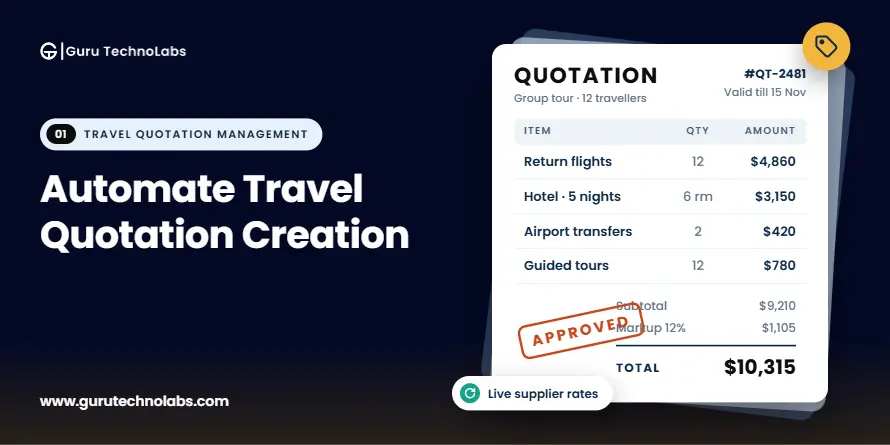
A family wants to spend 12 days in Italy next June, visiting Rome, Florence, and the Amalfi Coast. They have a few specific requests: a quiet hotel in Rome, train travel between cities, a private transfer to Positano, a cooking class, and a Vatican tour early in the morning.
For a travel consultant, planning this trip is familiar work. Putting the quotation together takes considerably longer.
The consultant checks hotel rates across supplier websites, looks up train fares, contacts a transfer provider, and confirms the price of the cooking class. Then come the calculations: currency conversions, markups, and selling prices for each service. Everything has to be pulled into a proposal, formatted, and checked before it reaches the client.
A few days later, the family asks to change Florence to Siena and move the trip back by a week. The consultant must check availability again, update the prices, and revise the itinerary. Some of the original work has to be repeated.
Now imagine handling 40 similar requests every week across a team of eight consultants. The problem is no longer just the time spent preparing one quotation. It's how much of the team's time goes into repetitive work instead of helping clients plan their trips.
Travel businesses can automate quotation creation by bringing supplier rates, reusable travel components, pricing rules, and proposal templates into one workflow. Instead of checking the same information and calculating prices for every inquiry, consultants can use stored data to build quotations, calculate selling prices, and update proposals when clients request changes.
The process starts with organizing supplier information and defining pricing rules. From there, businesses can automate quotation generation, connect existing CRM and booking systems, and reduce repeated data entry. Consultants still choose the hotels, activities, and services that fit each client's requirements. Automation handles the repetitive work around those decisions.
In this guide, we'll look at which parts of travel quotation creation can be automated, how to introduce automation without losing control over pricing or personalization, and how to choose an approach that fits your business.
Manual quotation creation isn't usually a problem because travel consultants lack experience. The real challenge is that the information they need is spread across supplier portals, spreadsheets, emails, and internal systems. Consultants often have to collect the same details, enter them in different places, and check the numbers again before sending a quote to a client.
In an established travel business, preparing a single quotation can involve several time-consuming tasks:
As inquiry volume increases, the workload involves more than preparing additional quotations. Consultants also have to manage revisions, verify supplier rates, correct pricing discrepancies, and keep booking details consistent across systems.
Hiring more consultants or reservations staff can help a business handle more inquiries, but it doesn't fix the underlying process. New employees still need to learn supplier contracts, pricing policies, and internal procedures. If the team relies on spreadsheets and manual calculations, the same problems continue as the business grows.
The challenge is particularly noticeable in group travel and complex tailor-made itineraries. A group quotation may involve different room types, child rates, single supplements, group discounts, and complimentary places for tour leaders. A multi-destination trip may require several hotels, transfers, rail journeys, and local experiences, each with its own supplier and pricing conditions.
When these details are managed in separate spreadsheets and documents, every change creates more work and increases the chance of errors.
Travel quotation automation addresses these problems by bringing supplier information, pricing rules, reusable itinerary components, and proposal creation into a more consistent workflow. Consultants can spend less time collecting data and repeating calculations, while retaining control over the recommendations and decisions that make each trip right for the client.
Travel quotation automation works best when you know which tasks the system can handle and where a consultant needs to step in.
Tasks such as calculating prices, adding stored travel components, and preparing proposals follow set rules, so they are good candidates for automation. Other tasks, such as checking live supplier availability or updating prices after a change, depend on the systems and data available. Choosing the right hotel, designing the itinerary, and handling unusual client requests still require a consultant's experience.
Here's how these tasks break down.
| Quotation Task | What Can Be Automated? | What Is Needed? |
|---|---|---|
| Capturing inquiry details, including dates, destinations, group size, and budget | Fully automatable | Inquiry forms, CRM records, or agent portal requests that send details directly into the quotation workflow |
| Adding hotels, transfers, tours, and rail journeys to a quote | Automatable for stored components | A shared library of travel components with descriptions, images, and contracted rates |
| Calculating selling prices, markups, commissions, and currency conversions | Fully automatable once pricing rules are defined | Agreed pricing rules for different products, seasons, sales channels, and client types |
| Creating branded proposals | Fully automatable | Proposal templates that pull information directly from the quotation |
| Updating prices after changes to dates, rooms, or travel services | Mostly automatable | Stored rates and pricing rules that allow the system to recalculate the quote |
| Tracking revisions and client approvals | Fully automatable | A central quotation record with version history and approval status |
| Checking live supplier rates and availability | Depends on supplier integration | Supplier APIs or other data connections; manually contracted suppliers may still require confirmation |
| Transferring an accepted quotation into booking and operations | Depends on system integration | A booking system or CRM that can receive quotation data through an API or supported import |
| Selecting hotels, planning daily activities, and handling special requests | Requires human judgment | A consultant who understands the client's preferences, budget, and travel requirements |
| Approving unusual discounts or lower profit margins | Partially automatable | Defined approval limits and a workflow that sends exceptions to the appropriate person |
First, automation depends on the information available to the system. If a hotel sends its contracted rates in a PDF at the beginning of each season, someone still needs to review and enter those rates. Automation can reduce how often the team handles that information, but it cannot automatically access data that isn't connected or available.
Second, your pricing rules need to be clear before you automate calculations. Decide how markups, commissions, currency conversions, taxes, and special rates should work across different products and sales channels. Otherwise, the system may simply repeat existing pricing inconsistencies more quickly.
The aim isn't to automate every decision a travel consultant makes. It's to reduce the manual work around those decisions so consultants can prepare quotations faster, apply pricing rules consistently, and spend more time creating trips that meet each client's needs.
Automating travel quotation creation starts with understanding how your team prepares quotes today. Buying software before reviewing the existing process can leave you with the same manual work in a new system.
Whether you plan to improve your current templates, use a ready-made itinerary builder, or connect your existing systems, the following steps will help you build a more efficient quotation process.
Start by reviewing three or four recent quotations, from the moment an inquiry arrives to the point when the client approves the proposal.
Look at every step involved. Where does the consultant check hotel rates? How are transfer costs confirmed? Where are markups calculated, and who prepares the final proposal?
Record the systems, spreadsheets, documents, and people involved, along with the time spent at each stage. Include informal steps, too. If consultants regularly ask an experienced colleague to confirm a hotel's contracted rate, that dependency is worth documenting.
This gives you a clearer picture of how quotations are actually prepared, rather than how the process is supposed to work.
Once you have mapped the process, identify which tasks are repeated for almost every quotation and which depend on the client's requirements.
For example, calculating markups and formatting proposals are usually repetitive. Selecting the right hotel or adjusting a trip to fit a client's budget requires more judgment.
Review recent quotations for pricing corrections, delayed responses, and time-consuming revisions. Did someone have to correct a currency conversion? Did changing the travel dates require the team to rebuild several pages of the proposal?
Start with the tasks that consume the most time or cause the most errors. These are often the best places to introduce automation first.
Many travel businesses already have a large collection of itineraries, hotel descriptions, supplier rates, and activity details. The problem is that this information may be scattered across Word documents, spreadsheets, PDFs, and old proposals.
Bring the most frequently used information into a shared library that consultants can access while preparing quotations.
A hotel entry, for example, might include its description, images, room categories, inclusions, supplier details, and contracted rates. Transfers, tours, rail journeys, and day-by-day itinerary descriptions can be stored in the same way.
You don't need to organize every item in your inventory before getting started. Begin with the hotels, destinations, and services your team quotes most often. You can expand the library as new requirements arise.
Having this information ready to use reduces repeated data entry and gives consultants a consistent starting point for each quotation.
Before automating calculations, agree on how your business prices the travel services.
Define the markups or margins for different product types, seasonal rates, commissions for travel agents, currency conversion rules, taxes, and additional charges. Decide how prices should be rounded and which team members can approve discounts or exceptions.
For example, a hotel rate might have one markup for direct customers and another for a travel agency partner. The system should apply the appropriate rule based on the type of quotation being prepared.
For example, suppose a tour operator is preparing a quotation that includes a hotel costing $800, private transfers costing $200, and guided tours costing $300. The total supplier cost is $1,300. With a 20% markup, the selling price becomes $1,560, leaving $260 in gross profit before other expenses.
Instead of calculating each quotation manually, the system applies the pricing rules automatically. If the consultant changes a hotel or adds another activity, it can recalculate the affected costs and selling price using the updated information. The same process can accommodate different markups or commission rules for direct customers and travel agency partners.
Once your travel components and pricing rules are in place, configure how they come together in a quotation.
The system should allow consultants to select suitable hotels, transfers, activities, and other services, arrange them into a day-by-day itinerary, and calculate the selling price using the agreed rules.
Set up proposal templates for the types of customers you serve. Direct customers may need a detailed itinerary with clear inclusions, while travel agency partners may require a proposal with their own branding. Group quotations may need rooming details and group-specific pricing.
The goal is to reduce the time spent assembling and formatting documents. Consultants should be able to focus on the itinerary itself rather than rebuilding the proposal for every inquiry.
Next, review how quotation information moves between your existing systems.
Your inquiry details may come from a website or CRM, supplier prices may come from connected APIs or separate portals, and accepted quotations may need to move into a booking or operations system.
Not every connection needs to be built immediately. Start with the hand-offs that create the most duplicate work.
For example, if staff re-enter passenger details and travel dates into the booking system after a client accepts a quote, connecting the two systems could remove that extra step. Supplier integrations may also help retrieve rates and availability, depending on what each supplier makes accessible.
Prioritize integrations based on the time they could save and the information your systems can reliably exchange.
Before rolling out the new workflow across the team, test it with a few recent quotations that reflect the work your business handles.
Include a straightforward package, a multi-city tailor-made itinerary, a group booking, and a quotation that went through several revisions.
Check the selling prices against the original quotations, confirm that the correct markups and supplements have been applied, and make sure the final proposal displays the right services and inclusions.
Pay particular attention to changes. If a client adds two hotel nights or moves the trip to another week, check whether the system updates the relevant dates, rates, and totals correctly.
These tests help identify missing pricing rules, outdated rates, and problems with stored travel components before they affect live quotations.
8. Measure the Results After Implementation
Before introducing automation, record how long your team takes to prepare a quotation and make revisions. Also track how often quotes need pricing corrections and how long clients wait for the first proposal.
Use the same measurements after implementation to see whether the new process has made a difference.
For example, if preparing a multi-city quotation previously took four hours, measure how long a comparable quotation takes after automation. Make sure you're comparing similar trips rather than a complex tailor-made itinerary with a simple package.
You should also look at how many quotations the team can prepare, how much rework is required, and whether consultants are spending more time on client-specific planning.
These measurements will help you identify what's working and where the process still needs improvement.
Still Managing Travel Quotations Across Multiple Systems?If your team relies on spreadsheets, supplier portals, and manual price calculations, the right workflow can reduce repetitive work without limiting how consultants design trips. Guru TechnoLabs can help you assess your current process and identify where a ready-made itinerary builder, system integration, or additional development may fit.
One concern travel businesses often have about quotation automation is that it might limit their ability to create tailor-made trips. They don't want consultants to choose from a fixed list of packages when clients have different budgets, preferences, and travel plans.
That concern is understandable, but automation doesn't have to work that way. The aim is to automate the repetitive work involved in preparing a quotation, not the decisions that make each trip personal.
For example, a system can handle supplier details, pricing calculations, currency conversions, proposal formatting, and quotation revisions. The consultant can focus on choosing the right hotels, planning each day's activities, adjusting the pace of the trip, and finding alternatives that fit the client's needs.
Here's how travel businesses can maintain that flexibility while automating their quotation process:
The result is a more efficient quotation process without sacrificing the personal service clients expect from a travel business. Consultants spend less time updating documents and recalculating prices, leaving them more time to plan trips around individual preferences.
The key is to automate how quotations are prepared, not dictate what a client's trip should look like.
Most established travel businesses already use several systems to manage their operations. Customer inquiries may come through a website, client details sit in a CRM, supplier rates are stored in spreadsheets, and confirmed bookings are handled through a reservation system.
When these systems don't share information, consultants end up moving the same details between them manually. Quotation automation can reduce that work by connecting the systems where it makes sense, rather than requiring the business to replace everything it already uses.
Here's how the main systems can work together during quotation creation.
| System | Information Shared with the Quotation Workflow | When the Connection Is Useful |
|---|---|---|
| CRM or customer database | Inquiry details, client preferences, customer history, quotation status, and follow-ups | When consultants repeatedly enter customer information or the sales team needs to track open quotations |
| Website, agent portal, or inquiry form | Travel dates, destinations, group size, budget, and requested services | When inquiries arrive through emails and staff have to enter the details into another system |
| Supplier APIs, bedbanks, and wholesaler feeds | Available rates, room availability, and product information for connected suppliers | When a large share of quotations uses connected suppliers and prices or availability change frequently |
| Contracted supplier rate sheets | Seasonal rates and agreed prices for hotels, transfers, and other services | When the business works with suppliers who share contracted rates through spreadsheets or documents rather than APIs |
| Booking or reservation system | Confirmed services, customer details, and accepted quotation data | When staff have to re-enter quotation details manually after a client confirms a trip |
| Accounting or finance software | Supplier costs, selling prices, deposits, and payment information | When finance teams spend time matching quotations against supplier invoices and payments |
For example, if customer details are scattered across emails and spreadsheets, a travel CRM built around your quotation process can help keep customer information and quotation activity in one place.
Not necessarily. The right approach depends on how your business operates, what your existing systems support, and where your team spends the most time on manual work.
Four factors are worth considering:
Consider a tour operator that mainly sells European hotels, private transfers, and guided experiences through contracted suppliers. A reliable way to load and update seasonal rate sheets may save more time than building live integrations with every supplier.
The priority should be to solve the problems that affect quotation creation most, rather than connecting systems simply because an integration is available.
If your booking system already handles reservations well, replacing it just to improve quotation creation may create unnecessary cost and disruption.
An alternative is to add a quotation layer that connects with your existing booking system. This allows your team to prepare and revise quotations in a dedicated workflow while passing accepted quotes into the system that manages confirmed bookings.
Replacing an existing system may make sense if it cannot support your current pricing rules, data requirements, or operational needs, or if it has become too difficult to maintain.
The best approach is to connect the systems that need to share information and keep the parts of your existing setup that already work well. This lets you improve quotation creation without taking on the cost and disruption of a full system replacement.
At Guru TechnoLabs, we've worked on travel CRM development projects where the business needed to connect customer management with its existing booking systems rather than replace the software already in use. This experience highlights an important consideration for quotation automation: before introducing another system, identify where customer details, quotation information, and booking records need to move between applications. Connecting the right parts of an existing setup can reduce repeated data entry without requiring a complete system replacement.
The right approach depends on how many quotations you handle, how complex your trips and pricing rules are, and what your existing systems can already do.
Shared templates, a central rate spreadsheet, clear pricing rules, and consistent file naming can make quotation creation easier. This may be enough for businesses handling a manageable number of relatively simple quotes. It's also a useful first step before investing in software.
However, consultants still have to assemble proposals and calculate prices manually, so handling more inquiries eventually requires more staff time.
When manual processes can no longer support your quotation volume and pricing requirements, explore how travel quotation management software can help organize quotation creation, pricing, revisions, and related workflows.
A ready-made itinerary builder can help travel businesses create day-by-day itineraries, reuse travel components, calculate prices, and prepare branded proposals without building a new system from scratch. It's a practical option for tour operators and travel businesses whose quotation requirements fit the software's existing capabilities.
However, itinerary creation and quotation management aren't the same. Some businesses also need agent-specific pricing, commission calculations, approval workflows, supplier rate management, and connections to their booking systems. Before choosing an itinerary builder, test it with your actual quotations to confirm whether it supports these requirements. If certain functions are missing, integrations or additional development may be needed.
Integration or custom development may be necessary when your quotation process involves requirements that standard products cannot handle. These might include complex pricing rules, a mix of connected and contracted suppliers, agent-specific branding and markups, or group pricing managed through spreadsheets. You may also need to keep your existing booking system while connecting it to the quotation workflow. For example, see how a custom travel CRM was integrated with existing booking platforms. You can also extend a ready-made itinerary builder with integrations to support your existing systems.
| Factor | Improve Manual Workflow | Ready-Made Itinerary Builder | Integration or Custom Development |
|---|---|---|---|
| Quote volume and complexity | Low to moderate; mostly simple trips | Moderate to high; requirements fit existing features | High; complex or specialized requirements |
| Pricing and commission rules | Calculated manually using spreadsheets or templates | Available rules depend on the product | Can support specialized pricing, commissions, and approval workflows |
| Supplier mix | Few suppliers with manageable rate data | Supported suppliers or rate imports | Multiple connected and contracted suppliers with specific data requirements |
| Revision frequency | Low; updates handled manually | Automated updates depend on available features | Can support complex revisions and recalculations |
| Existing systems | Few integration requirements | Existing integrations meet business needs | Requires specific integrations with CRM, booking, or supplier systems |
| Implementation effort | Lowest; process improvements and templates | Moderate; configuration, data loading, and training | Highest; requirements analysis, development, integration, and testing |
Whichever approach you choose, start by mapping your workflow, identifying bottlenecks, organizing reusable travel components, and defining pricing rules. This groundwork will help you choose the right option and avoid carrying the same problems into a new system.
A faster process doesn't automatically mean a better one. To see whether quotation automation is making a difference, measure a few key indicators before implementation and again once the new workflow is running smoothly.
| Measure | How to Track It | What It Tells You |
|---|---|---|
| Time to prepare a quote | Record the time spent preparing quotes for different trip types | Whether automation has reduced manual assembly and pricing work |
| Time to revise a quote | Measure the time between receiving a change request and sending the updated proposal | Whether revisions require less manual work |
| Inquiry-to-first-proposal time | Compare inquiry and proposal timestamps in your CRM or inbox | How quickly clients receive their first quotation |
| Pricing corrections | Track quotes that need price corrections after being sent, along with the reasons | Whether pricing rules are accurate and consistently applied |
| Quotes handled per consultant | Count the quotations each consultant sends per week or month | Whether the team can handle more inquiries without a proportional increase in staff |
| Repeated data entry | Count how often the same information is entered into different systems | Whether integrations are reducing manual data transfer |
| Pricing and proposal consistency | Compare prices and proposal formats for the same products across consultants | Whether the team follows consistent pricing and presentation standards |
Compare similar trips when reviewing the results. A complex, multi-city itinerary will naturally take longer to prepare than a ready-made package. It's also worth asking consultants where they still rely on workarounds, as these often reveal what needs to improve next.
Automating travel quotations is about more than creating PDFs faster. It means reducing the repeated work involved in capturing inquiries, finding travel components, calculating prices, preparing proposals, managing revisions, and transferring confirmed quotes to booking. With a well-organized process, consultants can spend more time planning trips, apply pricing rules consistently, and handle more inquiries without increasing headcount at the same rate.
Start by reviewing how your team prepares quotations today. Identify the tasks that take the most time, organize frequently used travel components, and document your pricing rules. Then decide whether improving your current process, adopting a ready-made itinerary builder, or integrating your existing systems is the right next step.
If your quotation process involves multiple supplier sources, travel agent pricing, group rates, or a booking system you need to retain, Guru TechnoLabs can help you plan a quotation workflow that fits your existing travel systems. We begin by understanding how your team works and recommend the right mix of configuration, integration, or custom development for your needs.
AI can help generate a first-draft itinerary from a client’s stated preferences, or turn an emailed request into structured fields. It still depends on the same foundations: reliable component data, defined pricing rules, and consultant review before anything reaches the client. Treat AI as a drafting aid inside a structured workflow, not a substitute for one.
No. Many operators automate most of the quoting process using contracted rates loaded into a component library once per season. Live connections add value for products whose prices change frequently, but they are not a prerequisite for consistent pricing or faster proposals.
Yes, if the workflow supports it. Wholesalers selling through advisors typically need proposals the advisor can present under their own branding, with net price and commission shown correctly to each party. Support for this varies widely between products, so test it explicitly when evaluating options.
Read more on:
Industries
Ravi Makhija is the Founder and CEO of Guru TechnoLabs, an IT services and platform engineering company specializing in Web, Mobile, Cloud, and AI automation software systems. The company focuses on building scalable platforms, complex system architectures, and multi-system integrations for growing businesses. Guru TechnoLabs has developed strong expertise in travel technology, helping travel companies modernize booking platforms and operational systems. With over a decade of experience, Ravi leads the team in delivering automation-driven digital solutions that improve efficiency and scalability.



Share your business needs or project requirements with us & we will get back to you quickly.