15 Best Web Portal Examples for Inspiration (2026)
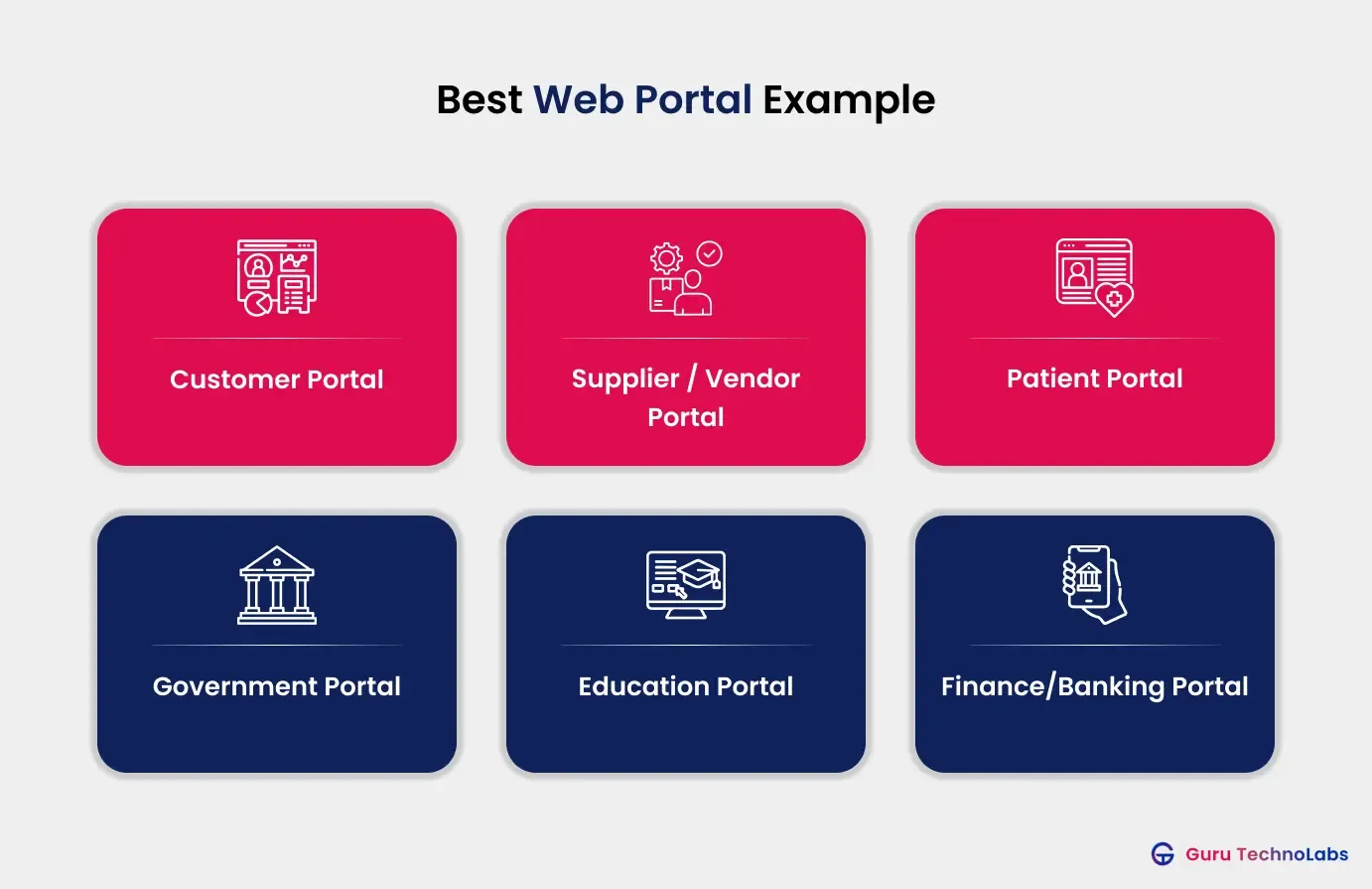
Table of Contents
- Key Takeaways
- Why Use a Web Portal?
- Web Portal Examples at a Glance
- Customer & Self-Service Portal Examples
- Supplier, Vendor & Procurement Portal Examples
- Patient & Healthcare Portal Examples
- Banking, Finance & Insurance Portal Examples
- Government & Citizen-Service Portal Examples
- Education & eLearning Portal Examples
- Intranet & Employee Portal Examples
- Partner & Dealer Portal Examples
- Do You Need a Web Portal?
- Final Thoughts
- Frequently Asked Questions
Key Takeaways
- A web portal is a secure, login-based platform that gives a specific group of users, such as customers, suppliers, patients, employees, or partners, a single place to access information and complete tasks. For example, patients can use Epic MyChart to view their medical records, appointments, and other health information.
- There are 8 common web portals: customer, supplier, patient, banking, government, education, intranet, and partner portals.
- The best portals aren’t necessarily the ones packed with features. What matters more is how well the portal connects with the systems behind it, such as a CRM, ERP, or EHR, so users always have access to accurate, up-to-date information.
- For a growing business, a well-built portal can make a noticeable difference by reducing repetitive support requests, cutting down manual work, and letting users find answers or complete tasks on their own, 24/7.
- In this guide, you’ll see 16 real web portal examples across these eight categories, along with their key features, benefits, and the systems they integrate with.
Why Use a Web Portal?
If you run a growing business, the value of a web portal is pretty straightforward: it takes routine work off your team’s plate. Instead of handling the same questions and requests over email or phone every day, users can find information and complete common tasks themselves.
For example:
- A customer calls support to check a billing status they could have viewed online in seconds.
- A supplier emails to ask about a purchase order that’s already available in your system.
- A patient calls the clinic to check whether their lab results are ready.
- An employee messages HR with a question that’s already covered in a company policy.
These requests may seem small, but they add up quickly. When information is spread across emails, phone calls, spreadsheets, and different systems, your team ends up spending valuable time tracking things down and answering the same questions repeatedly.
A web portal brings the right information and tasks together in one secure place. Customers, suppliers, employees, patients, or partners can access what they need and take action without waiting for someone on your team.
For a growing business, that can mean less manual work, faster processes, fewer repetitive support requests, and a better user experience.
The easiest way to see how this works is through real examples. Below, we’ve covered 16 web portals across eight categories, including their key features, benefits, and the systems they integrate with.
Web Portal Examples at a Glance
| Portal category | Best for | What it does | Example portals |
| Customer/self-service | SaaS, services, retail | Account access, support, self-service | Salesforce Experience Cloud, Zendesk |
| Supplier/procurement | Manufacturing, retail, FMCG | Onboarding, purchase orders, collaboration | SAP Ariba, Coupa |
| Patient/healthcare | Hospitals, clinics, primary care | Records, appointments, prescriptions | Epic MyChart, NHS Patient Access |
| Banking/finance | Banks, fintech, insurance | Account management, payments, claims | Bank of America, Revolut |
| Government/citizen | Public agencies, national bodies | Public services, applications, information | GOV.UK, India.gov.in |
| Education / eLearning | Schools, universities, training | Courses, grading, progress tracking | Moodle, Canvas |
| Intranet/employee | Any mid-to-large organization | Internal news, HR, self-service | SharePoint, Workday |
| Partner/dealer | Vendors with reseller networks | Deal registration, resources, enablement | Microsoft Partner Center, Salesforce Partner Community |
Customer & Self-Service Portal Examples
Customer portals give people one secure place to manage their relationship with your business. They can check orders, find documents, raise issues, or update account details without emailing or calling your team. For a growing business, this can be one of the most valuable types of portals because every task a customer handles themselves is one less task for your support team.
Salesforce Experience Cloud
Salesforce Experience Cloud helps companies build customer-facing portals and online communities using their existing Salesforce CRM data. Instead of relying on email and support tickets for every request, customers can log in to view their cases, account details, knowledge articles, and support history in one personalized place.
Key features:
- Personalized dashboards connected to live CRM data
- Self-service case management and knowledge base
- Community and discussion spaces
- Role-based access and single sign-on
- Branded, mobile-responsive design
Benefits:
- Reduces repetitive support tickets by helping customers find answers themselves
- Gives support teams more time to handle complex issues
- Creates a more convenient and personalized customer experience
Zendesk Help Center

Zendesk Help Center is a customer self-service portal that brings a searchable knowledge base, community forums, and ticket submission together in one branded place. The idea is simple: many support questions don’t require an agent if customers can easily find the right answer. Help Center encourages customers to search for answers first and contact an agent only when they actually need help.
Key features:
- Searchable knowledge base and help articles
- Community forums
- Integrated ticket submission
- Multi-language and multi-brand support
- Branded, customizable design
Benefits:
- Reduces routine questions reaching the support queue
- Helps lower support costs as the customer base grows
- Gives customers access to answers 24/7 without waiting for an agent
Supplier, Vendor & Procurement Portal Examples
Supplier portals replace the back-and-forth of emails, phone calls, and spreadsheets with one place where you and your suppliers can manage onboarding, orders, forecasts, and invoices. When you’re working with hundreds of suppliers, even small inefficiencies add up, so getting the portal right can lead to shorter cycle times and fewer errors.
SAP Ariba

SAP Ariba is a procurement and supplier collaboration portal that brings buyers and suppliers together on one business network. It covers the full procurement cycle, from sourcing and contracts to catalogs, purchase orders, and invoicing. Suppliers can manage their own catalogs and respond to orders directly instead of relying on scattered emails and spreadsheets.
Key features:
- Supplier onboarding and self-managed catalogs
- Purchase order and invoice management
- Sourcing and contract management
- Spend analytics and supplier performance visibility
- Guided buying workflows
Benefits:
- Reduces manual procurement work by shifting data entry to suppliers
- Gives finance teams better visibility and control over company spending
- Speeds up sourcing and invoicing cycles
Coupa

Coupa is a spend management platform with a supplier portal where vendors can register, manage their information, submit invoices, and track payments in one place. For the buying organization, it brings scattered purchasing activity into one view, making it easier to see where money is being spent and where unnecessary costs may be hiding.
Key features:
- Supplier self-registration and profile management
- Invoice submission and payment tracking
- Company-wide spend visibility
- Approval workflows
- Compliance and audit controls
Benefits:
- Helps reduce uncontrolled, off-process “maverick” spending
- Cuts the time spent chasing invoices and payments
- Improves compliance with clear approval trails
Patient & Healthcare Portal Examples
Patient portals reduce the administrative load on clinical and front-desk staff while giving patients secure access to their own health information. Since accurate and up-to-date information can directly affect care, these portals are only useful when they’re properly connected to current clinical data.
Epic MyChart

Epic MyChart is one of the most widely used patient portals, built directly on Epic’s electronic health record system. It gives patients one secure place to view lab results when they’re released, request prescription refills, message their provider, book appointments, and access their medical records. This can reduce many of the routine calls that would otherwise end up with front-desk staff.
Key features:
- Real-time lab and test results
- Prescription refill requests
- Secure provider messaging
- Appointment scheduling
- Health record access and download
Benefits:
- Reduces routine phone calls and front-desk workload
- Gives clinical staff more time to focus on patient care
- Improves the patient experience with faster access to information
NHS Patient Access (UK)

Patient Access is a patient portal used by many UK GP practices to let people handle routine primary-care tasks online instead of calling. Patients can book appointments, order repeat prescriptions, view parts of their medical record, and message their practice, helping reduce the everyday administrative pressure on reception teams.
Key features:
- GP appointment booking
- Repeat prescription ordering
- Access to parts of the medical record
- Secure messaging with the practice
- Identity-verified secure login
Benefits:
- Moves routine bookings and prescription requests away from phone lines
- Reduces pressure on reception teams during busy periods
- Gives patients access to self-service around the clock
Banking, Finance & Insurance Portal Examples
Financial portals have to balance two things that don’t always go together: being easy to use while keeping sensitive financial data secure. The best ones make managing money feel simple while handling encryption, audit trails, identity checks, and compliance in the background.
Bank of America Online Banking
Bank of America’s online banking portal gives customers one place to manage their money across web and mobile. It brings payments, transfers, deposits, alerts, and budgeting tools into a consistent experience, allowing customers to handle most everyday banking without visiting a branch.
Key features:
- Full account management
- Bill payment and money transfers
- Mobile check deposit
- Real-time fraud and security alerts
- Budgeting and financial insight tools
Benefits:
- Handles routine banking without adding branch or call-center workload
- Improves customer retention with a complete digital experience
- Helps reduce fraud risk through real-time alerts
Revolut
Revolut is a mobile-first financial platform designed as an integrated digital experience rather than a traditional banking service with digital features added later. It brings multi-currency accounts, real-time spending insights, payments, and currency exchange into one interface, making everyday money management quick and convenient.
Key features:
- Multi-currency accounts
- Real-time spending notifications and analytics
- Peer-to-peer payments
- Currency exchange
- Budgeting tools
Benefits:
- Meets customer expectations for an all-in-one financial app
- Keeps users engaged with real-time spending insights
- Supports multiple currencies and cross-border transactions
Government & Citizen-Service Portal Examples
Government portals are some of the most challenging platforms to get right. They need to serve millions of people with different levels of digital experience, meet strict accessibility requirements, and often connect with decades-old legacy systems. The best ones make complex government services feel simple and easy to navigate.
GOV.UK
GOV.UK is the UK government’s central citizen-services portal, bringing hundreds of services and departments together through one plain-language interface. Instead of figuring out which department handles a service, citizens can use one place to apply for benefits, renew passports, pay taxes, and access official guidance. This approach has made GOV.UK a widely studied example of public-sector digital design.
Key features:
- Single access point to hundreds of services
- Plain-language content design
- WCAG-aligned accessibility
- Online application and transaction forms
- Multi-departmental content management
Benefits:
- Reduces call and email volume across government departments
- Makes services easier to find without knowing which department runs them
- Improves accessibility so more people can complete tasks themselves
India.gov.in
India.gov.in is India’s national services portal, connecting citizens with information and services from ministries and departments. It covers areas such as certificates, pensions, and welfare schemes, with multilingual support to serve India’s diverse population. The portal is designed to handle both a large user base and a wide range of government services.
Key features:
- Access to a wide range of national and state services
- Welfare scheme applications
- Multilingual support
- News and information hub
- Links to ministry and department resources
Benefits:
- Gives citizens one starting point instead of navigating many separate sites
- Expands access through multilingual content
- Reduces the need for in-person visits and paperwork
Education & eLearning Portal Examples
Education portals bring students, teachers, and administrators together in one place for courses, assignments, grading, and progress tracking. The best ones do more than move paper-based processes online; they make learning easier to access and manage.
Moodle
Moodle is one of the world’s most widely used open-source learning management systems, used by institutions of different sizes and in many languages. Because it’s open-source, schools and training programs can adapt it to their teaching methods and scale it from a single classroom to a multi-campus university without paying for features they don’t need.
Key features:
- Custom course building and management
- Quizzes, assignments, and discussion boards
- Progress tracking and dashboards
- Extensive plugin ecosystem
- Multi-language support
Benefits:
- Gives institutions more control without licensing lock-in
- Scales from a single class to an entire institution
- Adapts to different teaching models through plugins
Canvas by Instructure

Canvas is a widely used learning management system known for its clean interface and reliable mobile access. Students can view courses, submit assignments, join discussions, and check grades, while instructors manage content, assessments, and communication in one place. Its focus on usability matters because an education portal only works when teachers and students actually use it.
Key features:
- Course content and assignment management
- Grading and assessment tools
- Discussion and communication tools
- Strong mobile apps
- Single sign-on and SIS integration
Benefits:
- Encourages adoption with a user-friendly experience
- Mobile access lets learners stay engaged from anywhere
- Reduces instructor admin work through unified tools
Intranet & Employee Portal Examples
Intranet and employee portals are the internal counterpart to customer portals: a single, reliable place for employees to find company news, policies, tools, and HR services. When information is spread across shared drives and email threads, employees spend too much time searching for it. A good intranet puts that information in one place and gives that time back.
Microsoft SharePoint
Microsoft SharePoint is one of the most widely used platforms for building corporate intranets and employee portals. Organizations use it to manage documents, publish company news, create internal team sites, and give employees one place to find the resources they need. Permissions can also control exactly who can access specific content. It’s often the backbone of an enterprise or internal information portal.
Key features:
- Centralized document management
- Company news and internal sites
- Team collaboration spaces
- Granular permissions and access control
- Deep Microsoft 365 integration
Benefits:
- Helps employees find current information faster
- Keeps sensitive content protected through permissions
- Reduces duplicate documents and version confusion
Workday

Workday is an HR and employee self-service portal that lets employees manage everyday tasks themselves. They can update personal details, request time off, enroll in benefits, and access company resources without having to involve HR for every request. This works especially well for routine HR tasks that don’t require manual intervention.
Key features:
- Employee self-service profiles
- Leave and time-off requests
- Benefits enrollment and management
- Access to HR policies and resources
- Reporting and analytics
Benefits:
- Takes routine HR admin off your team’s workload
- Reduces processing time and data-entry errors
- Gives employees more control over their own information
Partner & Dealer Portal Examples
Partner portals give resellers, dealers, and agents a secure place to register deals, access marketing and sales materials, complete training, and track performance. For companies that sell through partners, the portal becomes the central place where those relationships are managed day to day.
Microsoft Partner Center
Microsoft Partner Center is the portal Microsoft partners use to manage their relationship with the company. Partners can access programs, referrals, incentives, and the product and sales resources they need to sell and support Microsoft products. It also helps Microsoft deliver relevant information to thousands of partners across different countries, tiers, and specialties from one place.
Key features:
- Access to partner programs and benefits
- Referral and deal management
- Product and sales resources
- Incentive and payout tracking
- Role-based, targeted content
Benefits:
- Keeps a global partner network productive without constant manual support
- Delivers relevant resources to each partner
- Speeds up deal registration and incentive payouts
Salesforce Partner Community

Salesforce Partner Community, built on Salesforce Experience Cloud, gives partners one place to access marketing materials, sales tools, product information, deal registration, and collaboration tools. It keeps partners aligned with the vendor’s offerings while giving both sides a shared view of the sales pipeline, rather than relying on scattered resources.
Key features:
- Marketing and sales resource library
- Deal registration and pipeline visibility
- Product information and training
- Collaborative spaces with the vendor
- CRM-connected dashboards
Benefits:
- Keeps partners engaged and aligned with your offerings
- Gives both sides a clearer view of the sales pipeline
- Reduces the work involved in distributing sales and marketing materials
Do You Need a Web Portal?
Not every business needs a web portal, and it’s worth looking at the signs before investing in one. You’re probably ready for a portal if several of these situations sound familiar:
- Your team keeps answering the same routine questions about billing, order status, results, or policies.
- Important processes still depend on email chains and spreadsheets, making information easy to lose or duplicate.
- Customers, suppliers, or employees struggle to find information or complete routine tasks themselves.
- Onboarding a customer, supplier, or new employee is manual and takes too much time.
- You manage multiple user groups such as clients, employees, or partners, and each needs a different, secure view of the same systems.
If several of these problems sound familiar, it’s often a sign that your business has outgrown scattered communication through email and shared drives. That’s the gap a web portal can fill.
On the other hand, if your needs are mainly informational and users don’t need to log in or complete tasks, a standard website may be all you need.
Final Thoughts
The portals in this guide cover very different industries, but they all solve the same basic problem: information and tasks that are scattered, handled manually, or require a phone call. A well-built portal brings those things together in one secure place and lets the right people handle tasks themselves. The result is usually less manual work, faster processes, and a better experience for users.
If there’s one thing worth taking away as a business owner, it’s this: the best portals aren’t the ones with the most features. They’re the ones that connect properly with the systems behind them. That’s what turns a simple login page into a tool people actually rely on. If you’re planning to build one, this web portal development guide covers the key considerations, features, and development process.
So, start with the friction you already see in your business: the question your team answers repeatedly, the process that still requires manual work, or the task that always starts with a phone call. That’s often where a web portal can deliver the most value first.
Frequently Asked Questions
A web portal is a secure, login-based platform that gives users personalized access to information, tools, and services in one place. Unlike a public website, a portal shows information based on who the user is and what they need.
The most common categories include customer/self-service, supplier/procurement, patient/healthcare, banking/finance, government/citizen, education/eLearning, intranet/employee, and partner/dealer portals. Each is built for a specific audience while providing secure, personalized access to information and tools.
A website is generally public and provides the same information to most visitors. A web portal requires users to log in and provides personalized content, dashboards, and tools based on their role. In simple terms, websites are mainly for sharing information, while portals are designed for interaction, self-service, and workflows.
At a minimum, a customer portal should have secure login and role-based access, self-service account and order management, a searchable knowledge base, document access, secure messaging, and a mobile-friendly design. The best portals also connect to live systems such as CRM and billing platforms, so users always see current information.
Yes, and it usually should. A portal becomes much more useful when it can pull live data from the systems your business already uses. For example, a CRM can provide customer data, an ERP can provide orders and invoices, and an EHR can provide medical records. These integrations turn the portal into a working business tool rather than just a collection of static pages.
Patient portals that connect directly to an EHR can display current clinical information. Epic MyChart, for example, is built on Epic's EHR, allowing patients to access results and records through the portal. The key is having a secure and compliant connection between the portal and the underlying health record system.
A vertical portal focuses deeply on a specific industry or audience, such as a patient portal like MyChart. A horizontal portal provides a broader range of services to a wider audience, such as a government portal like GOV.UK. Most examples in this guide are vertical portals designed around a specific use case.
Common front-end technologies include React, Angular, and Vue, while back-end development often uses Node.js, Python, Java, or PHP. Web portals are also commonly hosted on cloud platforms such as AWS or Azure for scalability. The best technology stack depends on factors such as integrations, security requirements, expected traffic, and project complexity.
The cost to build a web portal can range from $20,000 to $150,000+, depending on its features, integrations, number of user roles, security requirements, and overall complexity. A basic self-service portal may cost less, while an enterprise portal with CRM/ERP integrations, advanced workflows, analytics, and custom features can cost significantly more. The best way to estimate the budget is to define the portal's users, core workflows, integrations, and security needs before development begins.