Definitive Guide to Custom Web Portal Development (2026)

Table of Contents
- What is a Custom Web Portal?
- Must-Have Features for Enterprise Web Portals in 2026
- The Custom Web Portal Development Process: Step by Step
- Recommended Tech Stack for Custom Web Portals in 2026
- Compliance & Security Requirements You Cannot Ignore
- How Much Does Custom Web Portal Development Cost?
- How to Choose the Right Custom Web Portal Development Partner
- 5 Common Web Portal Development Mistakes (and How to Avoid Them)
- Measuring the ROI of Your Web Porta
- Why Choose Guru TechnoLabs for Custom Web Portal Development?
- Conclusion
- Frequently Asked Questions
As a business owner, IT director, or enterprise decision-maker with intentions to develop a digital platform, you will soon encounter the phrase of custom web portal development – and this makes sense. Portals are now the foundation of most current companies, offering information, tools, and communication all in a safe location.
Nevertheless, portal development is initiated by many companies without a definite plan. They usually do not anticipate the complexity of it, establish overly low budgets, or choose the incorrect technology. The result? Delays, increased costs, and platforms that are not actually used by the users.
According to research conducted by Captive Portal Market Research, the market of web portals in the world is projected to grow to more than $25 billion by the year 2031. The increasing demand for centralized digital systems in the healthcare sector, finance, education, and enterprise operations are some of the forces behind this growth. Portals are being embraced by businesses to reduce expenses, enhance data access, and have greater customer contact.
This is a roadmap aimed at business and IT leaders who are interested in having a simple, practical guide. It describes what a custom web portal is, what types there are, their costing and timeline, and how to prevent some common pitfalls in development.
What is a Custom Web Portal?
A web portal is a secure, centralized, internet-based system that makes information, tools, and services of other systems available under one roof. Every user is presented with a unique view depending on their account or job.
The key idea here is “custom.” In contrast to a simple website or an off-the-shelf SaaS portal, a custom web portal is developed (or radically customized) to match your particular business processes, integrations, branding, and security requirements.
Consider such tools as Salesforce client dashboards, hospital portals to demonstrate patient health records, or employee intranets to connect HR, payroll, and project tools. All of these are portals. The value of them is not always in the technology but in the fact that they are designed to represent real-life human work.
Custom vs. Off-the-Shelf: Why It Matters
A key initial choice made during the development of a web portal is whether to adopt an off-the-shelf platform or invest in a custom platform. This option has a direct impact on the extent to which the portal suits your business, its scalability, and the degree of control over the portal.
Ready-made products in the form of off-the-shelf portals. It is easy and cost-effective to roll them out. They can be useful in normal applications, but they have their limits. It is not the software that adapts to your processes, but vice versa. The level of customization is often limited, and it may not be easy or messy to integrate with your existing systems.
Custom portals are custom-built and specific to your business. They are compatible with your processes, integrate well with your systems, and address your security and compliance needs. Although they require more time and investment in the initial stages, they will lessen friction in day-to-day operations and can be easily expanded as your business expands.
In simple terms:
- Off-the-shelf = quicker and less expensive to start
- Custom = long-term and more fitting flexibility.
Quick Comparison
| Factor | Custom Web Portal | Off-the-shelf Portal |
|---|---|---|
| Fit to Business | Built exactly for your processes | Generic, may require adjustments |
| Setup Time | Longer (design + development) | Quick deployment |
| Upfront Cost | Higher | Lower |
| Flexibility | High | Limited to vendor capabilities |
| Integrations | Designed for your systems | Often limited or complex |
| Maintenance | Your team or vendor-managed | Managed by the provider |
Must-Have Features for Enterprise Web Portals in 2026
Your choice of features on your portal is what determines how much people will use your portal and the value it brings. Whether a customer portal, employee intranet, or a healthcare platform, some capabilities are needed on the first day that will be important.
Core Features
- Role-Based Access Control (RBAC): It is best that the user can only see what they are supposed to see. This plays a significant role in data protection and compliance.
- Single Sign-On (SSO): Allow users to use single-authentication, as in systems such as Okta, Azure AD, or Google Workspace. This minimizes password and support problems.
- Individual Dashboards: Each user is provided with an individual view based on his or her role, including relevant information, shortcuts, and a non-standard interface.
- Real-Time Notifications: The portal (or email or push notification) alerts will inform users of any changes without having to check manually.
- Advanced search: The user must be able to find documents, records, or contents with filters and structured search options.
- Audit Trails and Reporting: Audit all user activity to comply with and generate reports that can be trusted by teams and leadership.
- Mobile-Responsive Design: A high proportion of users access portals using mobile devices. When it is not a smooth experience, the user goes down the drain.
AI-Powered Features Expected in 2026
Modern portals are no longer just simple dashboards – they do much more than display data. Competitive platforms are now expected to have AI-driven capabilities.
- Smart Search: Users are able to search openly and yet get the appropriate information in spite of lacking the precise words.
- Predictive Analytics Dashboards: The system shows the trends, identifies problems, and presents predictions right on the dashboard.
- AI-Assisted Chatbots: The chat support is built in, and it answers frequently asked questions with your knowledge base, freeing up human support when necessary.
- Automated Workflow Triggers: Workflow actions such as form submissions or status updates are automatically initiated, and the remaining steps are taken automatically.
- Smart Document Processing: PDFs or invoices uploaded automatically are read and converted into usable data, reducing the amount of manual work.
These are not optional features to achieve a high adoption rate and value in the long-term. Absence of even some of them may result in a bad user experience and even low ROI.
The Custom Web Portal Development Process: Step by Step
A custom portal is not a one-time job – this is a multi-stage, organized process. This is what a normal development process would look like and what to expect along the way.
Phase 1: Discovery & Requirements Definition (2 – 4 weeks)
It is the most crucial step and the one that is most frequently hastened. It lays the foundation of all that comes after.
An adequate discovery phase consists of:
- The interviews with the main stakeholders within the teams (IT, operations, sales, and compliance).
- Users’ personas, who they are, the frequency, and the purpose of the portal will be defined.
- Existing systems and data sources are to be connected to the portal.
- Defining compliance and security needs depending on your industry.
- Focusing on features and choosing the MVP development (develop core features and add functionality later).
Critical observation: Teams who take the time to do so face less challenges and delays in the future. Failure to do this can result in increased expenses and rework.
Phase 2: Architecture & Technical Planning (1–2 weeks)
It is at this point that the technical foundation is defined. This includes:
- Database structure
- API design
- Authentication and access flows
- Hosting setup
- Integration points with other systems
The decisions made here directly affect how well your portal can scale in the future.
Phase 3: UX/UI Design (3–5 weeks)
User experience and interface design are prioritized before development begins.
This includes:
- Wireframes (basic layouts)
- Interactive prototypes
- User testing and feedback
By the end, you’ll have a clickable and mini overview of the portal that stakeholders can visualise and review.
Phase 4: Core Development (8 – 16 weeks)
Here is where the real development starts, typically within short development cycles (sprints), where development is delivered regularly.
Work happens in parallel:
- Frontend: User interface built with modern frameworks for speed and flexibility
- Backend: APIs, business logic, authentication, and database connections
- Admin panel: Internal tools to manage users, content, and settings
Phase 5: Integrations (2 – 4 weeks)
Other systems on which your business depends are linked to the portal, and they include:
- CRM tools
- ERP systems
- Payment gateways
- Identity and access providers
- Analytics platforms
Each integration is tested to ensure smooth data flow and reliability.
Phase 6: QA, Security Testing & UAT (2 – 4 weeks)
Before launch, the portal goes through thorough testing:
- Functional testing (does everything work as expected?)
- Cross-device and browser testing
- Performance and load testing
- Security testing
- User Acceptance Testing (UAT) with real users
Phase 7: Launch & Post-Launch Support
The rollout usually happens in stages – starting with internal users or a small group, then expanding to everyone.
After launch, ongoing support includes:
- Performance monitoring
- Fixing bugs
- Applying security updates
- Adding new features over time
Each phase builds on the previous one. Skipping steps or rushing early stages often leads to delays, higher costs, and a portal that doesn’t meet user needs.
Recommended Tech Stack for Custom Web Portals in 2026
The wrong tech stack can lead to poor performance, scalability, security, and the ease of maintaining your portal in the long-run. No single stack is the “best” – the correct choice is dependent on your business, integrations, and staff knowledge.
With that said, the majority of modern enterprise portals in 2026 will be based on a similar structure, with reference to scalable technologies that are tried and tested.
Frontend (User Interface)
Users are in contact with the frontend. It must be quick, responsive, and updateable.
- React is popular for developing a dynamic and interactive interface.
- Other options can be selected, such as Angular or Vue, depending on the choice of the team.
- Emphasis is on component-based development in order to develop more quickly and consistently.
Business Logic (Server) Backend.
The backend supports processing of data, authentication, and integrations.
- Scalable applications are associated with Node.js (including such frameworks as NestJS).
- Java (Spring Boot) is commonly found in large companies when it comes to stability.
- Python (Django/FastAPI) is better suited to data-intensive or AI-intensive applications.
APIs (Communication Layer)
APIs are used to connect the frontend to the backend systems and third-party tools.
- REST APIs are easy to use and common.
- GraphQL is involved when it is necessary to be flexible and perform.
Database Layer
Your data are stored in databases and manipulated.
- Structured and relational data PostgreSQL / MySQL.
- MongoDB data is of a flexible and document-based nature.
- Choice is based on the arrangement and utilization of your information.
Authentication & Security
- Enterprise portals cannot afford security.
- Users can be authenticated using OAuth 2.0 and OpenID Connect.
- Identity integration with Okta or Azure AD.
- The system is built with role-based access control and encryption.
Cloud & Hosting
The cloud hosting of modern portals is generally done due to scalability and reliability.
- AWS, Microsoft Azure, or Google Cloud.
- Flexibility (containers)and orchestration (Kubernetes).
- Auto-scaling provides the ability to manage traffic bursts.
DevOps & Deployment
DevOps provides a smooth process in development, testing, and deployment.
- Automated release and build pipelines.
- Such tools as GitHub Actions, GitLab CI, or Jenkins.
- Performance and error monitoring tools.
AI & Data Layer (Gaining More and More Significance)
The AI has become an element of most portals.
- Search, chatbot, analytics integration with AI/ML services.
- AI services or open AI APIs.
- Real-time insight and reporting data pipelines.
The combination of React.js + Node.js + PostgreSQL + AWS is the most appropriate compromise of performance, richness of developer ecosystem, and compliance tooling in most enterprise portals of 2026. We also have special developers specializing in such stacks used in portal projects.
In this case, it is not necessary to select the trendy technology and tools, but to choose a technology stack that fulfills your business needs, can work well with your existing technology, and begin to scale as your portal expands.
Compliance & Security Requirements You Cannot Ignore
It is here that most enterprises go wrong. Security and compliance are often considered as an afterthought – yet in several industries, they are required initially.
Portals may require you to comply with certain rules, depending on the nature of what your portal performs and to whom you provide the service:
HIPAA: Necessary for any portal touching on the protected health information (PHI). This involves encrypting both stored and transferred data, monitoring user activity, access control, and ensuring that you have the correct agreements with your cloud provider.
SOC 2 Type II: It is typical in the SaaS, financial, and legal industries. It guarantees that your systems are up to standard regarding security, availability, and confidentiality of data – something that enterprise clients tend to demand before conducting business with you.
ADA / WCAG 2.1 AA: Public-facing platforms do not choose when to be accessible. Your portal should be accessible to users with disabilities with support of screen readers, enabling them to use the keyboard and have good visual contrast.
CCPA: Providing data, if you are collecting data on California residents, you should provide visibility of user data, allow users the option to abandon, and provide a mechanism for erasing data.
PCI DSS: It is s needed when your portal processes payment card data. It establishes rigid guidelines in the storage, processing, and protection of card information.
Important Note: Compliance is not something you “add later.” It must be a part of the system – both in architecture and development. Fixing compliance issues after launch is far more expensive and complex than doing it right from day one.
How Much Does Custom Web Portal Development Cost?
Depending on the complexity of the web portal, the features you require, and the number of systems to which it links, the cost of a custom web portal varies. It has no specific price, and most projects are categorized in distinct ranges.
Typical Cost Ranges
- Basic portal: $20,000 – $50,000
Easy features, few users, few integrations. - Mid-level portal: $50,000 – $150,000
Access control, dashboards, various integrations, and improved design. - Enterprise portal: $150,000 – $500,000+
Complex work processes, high security, artificial intelligence, heavy integrations, significant number of users.
What Drives the Cost
- Features: The more features, the more time to develop them. Features such as dashboards, search, notifications, and administration panels increase the expenses.
- Integrations: There is more effort and testing with integrations with other systems, such as CRM, ERP, or payment gateways.
- Design complexity: Custom UI/UX is more time-consuming, as compared to basic templates.
- Security and compliance: Standards such as HIPAA, SOC 2, or PCI DSS are additional development and test requirements.
- The roles and permissions of the users: More roles and multifaceted access control require more work for the backend.
- AI functionality: Smart search, chatbots, or predictive analytics are features that increase the cost.
Time = Cost
The average duration of building most portals is 3 to 8 months. Increased timelines often entail increased expenses because of increased hours of development.
Ongoing Costs
It is not the only cost in developing the portal. You should plan for:
- Hosting and cloud services
- Maintenance and updates
- Security monitoring
- Bug fixes and improvements
They are typically 15 to 25 percent of the original development cost per year.
The ultimate price will be determined by what you are building. The better you understand your needs at the beginning, the less difficult it becomes to manage the budget and timeframes.
How to Choose the Right Custom Web Portal Development Partner
This choice has an overall result for your project. Your development partner is not merely a vendor – they will significantly contribute to the development and support of your platform over the years. In assessing a business, consider the following:
Portfolio of similar portal projects
Request them to provide examples of the portals they have created, particularly in your industry or where a similar integration is needed. This is to know whether they are capable of managing your complexity.
Compliance expertise
Determine for themselves whether they possess experience with HIPAA, SOC 2, or ADA standards according to your needs. This is important in preventing legal and security threats.
Agile development process
They should demonstrate how they conduct projects – their sprint cycles, release schedules, and how they cope with changes in the scope of the projects they are developing.
Post-launch support model
Make it clear who will support the portal once it is launched. Enquire on response times, support availability, and the way they handle updates and security fixes.
Communication practices
Look for clear and consistent communication. This involves the presence of a project manager, frequent demos, and updates on progress.
Scalability experience
Ensure that they have developed portals that are scalable, such as systems that have expanded their users to a small user base to thousands.
If you’re deciding between building in-house or outsourcing, another option is hiring dedicated developers who work as part of your team with clear responsibilities and defined scope.
5 Common Web Portal Development Mistakes (and How to Avoid Them)
Costly mistakes can be made even by experienced teams when developing a web portal, which results in impacting the timelines, budgets, and user adoption. Early identification of the pitfalls is beneficial to you in that you are able to avoid the pitfalls and construct a portal that will indeed provide value.
Building everything at once
- Attempting to use all available features causes longer schedules, increased expenses, and a product that will not satisfy users.
- Begin with an MVP with the most significant workflows in mind, and build upon it following actual use and feedback.
Skipping user research
Most portals fail because they are developed on the basis of assumptions rather than the real behavior of the users. Even talking to a small group of users prior to beginning design can help avoid huge problems in the future.
Under-engineering the integration layer
The portal will appear finished, yet it will not work with inconsistent or unreliable data provided by systems such as CRM or ERP. It must have a robust integration layer, error management, retries, and monitoring facilities.
Treating security as an afterthought
Financial and reputation losses can be complicated in the case of security problems in enterprise portals. Development should be accompanied by practices such as secure coding, access control, and frequent testing.
No post-launch plan
Launch is not the end. The portal will soon lose its effectiveness without constant maintenance, updates, and improvements. Think about ongoing updates, feedback, and the monitoring of the performance.
Measuring the ROI of Your Web Porta
The leaders of business and Information Technology should have explicit metrics to determine whether the portal is yielding value. The following are the critical metrics to monitor during the initial 6-12 months of launch:
- Support ticket cut: Self-service portals can help companies cut, on average, 25-40 per cent of support requests in the first year.
- User adoption rate: The rate of your target users using the portal within 90 days.
- Task completion rate: Are the users accomplishing the primary tasks that the portal was created to accomplish, or are they abandoning in the middle?
- Turnaround time of the data processing: This saves on man-hours since the process can be automated and redone by machines.
- Error and rework rate: The number of mistakes will decrease, such as wrong data entry, duplicate records, and system-to-system miscommunication.
- Employee productivity: In the case of internal portals, gauge the amount of time that the employees save when performing their routine activities, such as locating information, making requests, or accessing reports.
Industry statistics indicate that the ability to enhance operational efficiency by 20 -35 percent within the first year has been realized by well-built custom portals, particularly when they are replacing manual procedures.
Why Choose Guru TechnoLabs for Custom Web Portal Development?
At Guru TechnoLabs, we have developed tailored and custom web portals for clients in healthcare, logistics, education, and enterprise business. We specialize in the provision of compliant, scalable platforms, which have been developed using proven technology to suit business realities.
Our development approach is guided by four key principles:
- Discovery-first: We explore all of your business processes before even writing a single line of code. This brings about the fact that what we create will fit in your workflow and resolve the issues you have.
- Compliance-native: Regulations, such as HIPAA, ADA, SOC 2, and CCPA, are a part of the architecture since the first sprint. Compliance is not a byword – it is a component of the foundation.
- Technology excellence: Our expertise lies in the modern technology stack, including React.js, Node.js, and cloud-native infrastructure. Our team is in touch with the best practices of 2026 and beyond.
- Long-term association: We do not deliver and leave. We provide a support model that keeps your portal safe, running on full capacity, and up to date with the development of your business.
You are starting with an MVP to validate an idea, a full-scale enterprise platform, or you need to add more developers to an already existing team. We can assist in planning and delivering the appropriate solution to your company.
Conclusion
The development of custom web portals is amongst the most beneficial technology investments that a business can make – however, only when done in the right way. There are three requirements to success: complete knowledge about the business issue being addressed, a user-focused design approach, and a development team that has experience in the compliance and integration environment being targeted.
At Guru Technolabs, we are prepared to assist you in designing, developing, and expanding a portal that can provide actual operational value.
Get started with us and let us build a custom web portal for your business with next-generation technologies.
Frequently Asked Questions
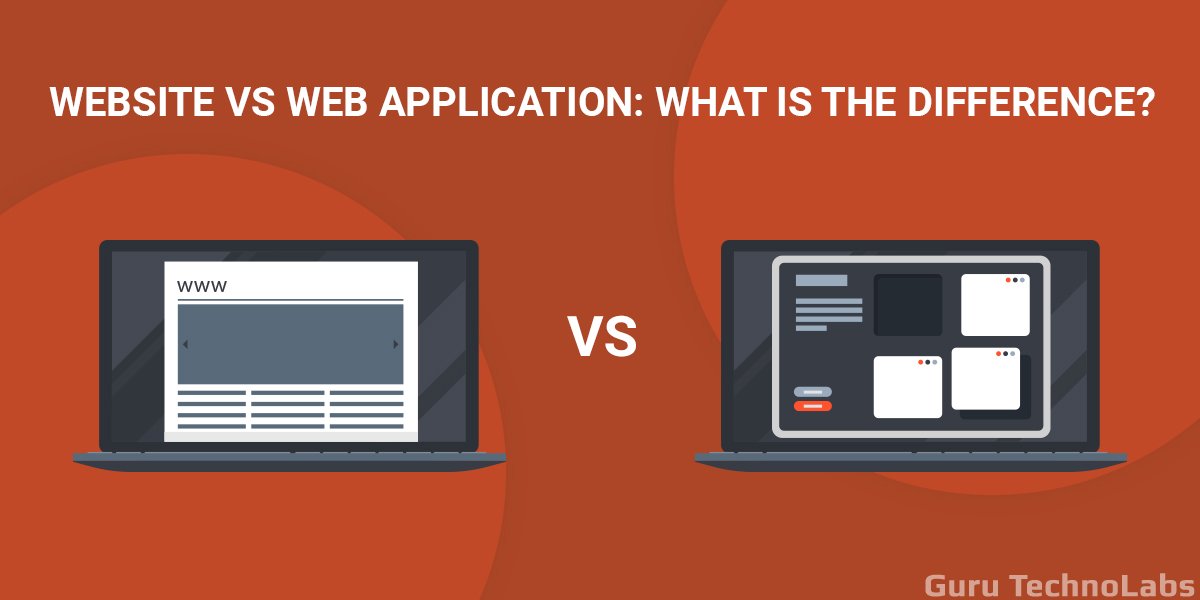
A website is mostly informational and read-only. A web portal, on the other hand, requires user login, delivers personalized content based on user roles, and allows users to take actions - such as submitting forms, accessing records, and running reports - that drive business workflows.
It depends on the complexity.
- A basic portal with 2 - 3 integrations typically takes 2–4 months.
- Mid-tier enterprise portals run 4 - 7 months.
- Large-scale platforms with multiple integrations and compliance requirements can take 7 - 14 months from kickoff to full launch.
Costs vary depending on complexity. A basic portal can start around $15,000, while a complex enterprise platform with AI features, multiple integrations, and compliance requirements can exceed $200,000. The best approach is to share your specific requirements with a development team for a detailed estimate.
For most enterprise portals, the proven combination is React.js for the frontend, Node.js or Python for the backend, PostgreSQL for the database, and AWS or Azure for cloud hosting. The right stack ultimately depends on your integration needs and existing infrastructure.
It depends on your industry and the type of data your portal handles. Healthcare portals handling PHI require HIPAA compliance. Portals that process payments need PCI DSS. Public-facing or accessibility-critical portals must meet ADA/WCAG 2.1 standards. A good development partner will assess compliance requirements during the discovery phase.
Off-the-shelf solutions work for simple portals with standard needs. If you require custom integrations, complex user roles, industry-specific compliance, or proprietary workflows, building a custom portal is usually the better long-term investment. SaaS subscriptions can become costly over 3 - 5 years, while a custom-built portal becomes a fully owned asset.