How to Build Cloud Kitchen Management Software
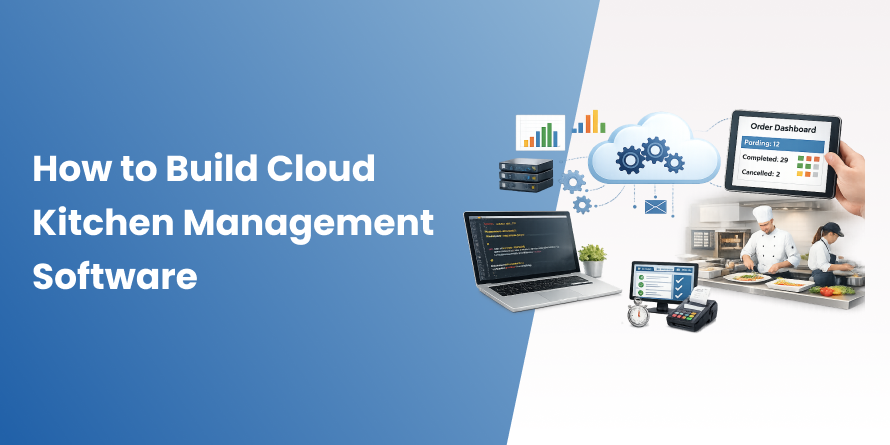
Table of Contents
- What is Cloud Kitchen Management Software?
- Why Cloud Kitchens Need Management Software
- Key Features of Cloud Kitchen Management Software
- Types of Cloud Kitchen Management Software
- Custom Cloud Kitchen Software vs Ready-Made Solutions
- Step-by-Step Process to Build Cloud Kitchen Management Software
- Best Technologies for Cloud Kitchen Software Development
- How Much Does It Cost to Build Cloud Kitchen Management Software?
- How Long Does It Take to Develop Cloud Kitchen Software?
- Common Challenges in Cloud Kitchen Software Development
- Benefits of Custom Cloud Kitchen Management Software
- How to Choose the Right Cloud Kitchen Software Development Company
- Conclusion
- Frequently Asked Questions
The food delivery industry has evolved rapidly over the last few years, and cloud kitchens are leading that shift. As more customers order food online, businesses need systems that can handle orders, kitchen operations, inventory, deliveries, and customer management without confusion or delays. That is where cloud kitchen management software becomes essential.
According to Fortune Business Insights, the global cloud kitchen market is expected to grow from $83.5 billion in 2026 to $175.14 billion by 2034. This growth reflects a major change in how modern food businesses operate and scale.
However, managing a cloud kitchen manually becomes difficult as order volumes increase. Teams often struggle to manage orders coming from platforms like Zomato, Swiggy, Uber Eats, and direct ordering apps at the same time. Inventory mismatches, delayed deliveries, missed orders, and disconnected systems can quickly impact customer experience and daily operations.
The right cloud kitchen management software helps businesses streamline operations, improve order accuracy, manage multiple brands efficiently, and scale without operational bottlenecks.
In this guide, you will learn everything involved in cloud kitchen software development, including essential features, technology stack, development process, estimated cost, timelines, integrations, and the key decisions that help build a scalable and efficient platform.
What is Cloud Kitchen Management Software?
Cloud kitchen management software is a centralized platform designed to manage the daily operations of delivery-only food businesses. It helps handle online orders, kitchen workflows, inventory tracking, delivery coordination, payments, and business reporting from one system.
Unlike traditional restaurants, cloud kitchens operate without dine-in customers. Every order is received digitally through food delivery platforms, mobile apps, or websites. Because of this, businesses need software that can manage high order volumes, multiple delivery channels, and real-time operations efficiently.
A cloud kitchen management system connects different parts of the business into a single workflow. When a customer places an order, the software automatically sends it to the kitchen, updates inventory, tracks preparation status, and coordinates delivery. This reduces manual work and helps improve order accuracy and operational speed.
Traditional restaurant software mainly focuses on table reservations, billing, and in-store operations. Cloud kitchen software is built for delivery-first businesses that depend on aggregator integrations, multi-brand management, real-time order synchronization, and fast kitchen coordination.
These systems are commonly used by:
- Single-brand cloud kitchens
- Multi-brand virtual restaurant operators
- Ghost kitchen businesses
- Food delivery startups
- Restaurant chains expanding into online delivery
- Enterprise food-tech companies managing multiple locations
As cloud kitchens continue to grow, management software has become an essential part of running efficient and scalable food delivery operations.
Why Cloud Kitchens Need Management Software
Running a cloud kitchen becomes difficult when operations are managed manually. As order volumes grow across multiple delivery platforms, businesses often face delays, inventory issues, missed orders, and communication gaps between teams. Cloud kitchen management software helps streamline these operations and keeps everything connected in one system.
Managing Multiple Online Orders
Most cloud kitchens receive orders from several platforms such as Zomato, Swiggy, Uber Eats, and their own ordering apps or websites. Managing each platform separately creates confusion for kitchen staff and increases the chances of missed or duplicate orders.
A centralized management system collects all incoming orders into one dashboard, making it easier for teams to process orders quickly and accurately.
Faster Kitchen Operations
Speed is critical in food delivery businesses. Cloud kitchen software helps improve kitchen efficiency by automatically routing orders to the correct preparation station.
Instead of relying on handwritten tickets or manual coordination, kitchen staff can use digital kitchen display systems to track order status, preparation time, and delivery priority in real time. This helps reduce delays and improve overall workflow inside the kitchen.
Inventory and Stock Tracking
Inventory management becomes more challenging when handling large order volumes and multiple brands. Cloud kitchen software updates stock levels automatically whenever an order is placed.
This helps businesses:
- Avoid accepting unavailable orders
- Reduce ingredient wastage
- Track low-stock items in real time
- Plan supplier reorders more efficiently
Accurate inventory tracking also improves cost control and reduces operational errors.
Delivery Management
Managing deliveries manually can slow down operations and create communication issues between riders, kitchen staff, and customers.
Cloud kitchen management software simplifies the delivery process by helping businesses:
- Assign orders to delivery partners faster
- Track deliveries in real time
- Monitor rider performance
- Share accurate delivery updates with customers
This improves delivery speed and helps create a better customer experience.
Centralized Business Monitoring
For businesses operating multiple cloud kitchens or virtual brands, tracking operations separately becomes difficult. A centralized dashboard gives owners and managers complete visibility into daily performance.
They can monitor:
- Sales performance
- Order trends
- Food costs
- Delivery efficiency
- Top-selling menu items
- Branch-level performance
Having access to real-time business data helps operators make faster and better operational decisions.
Better Customer Experience
Customer satisfaction in cloud kitchens depends heavily on speed, order accuracy, and communication. Delayed deliveries, incorrect orders, or unavailable items can quickly lead to negative reviews and lost customers.
Cloud kitchen management software helps improve customer experience by:
- Reducing order errors
- Improving delivery timelines
- Providing real-time updates
- Streamlining kitchen coordination
As order volumes increase, having the right management system becomes essential for maintaining service quality and scaling operations efficiently.
Losing Orders Due to Disconnected Kitchen Operations?
Manage your cloud kitchen operations, orders, inventory, and deliveries from one centralized system. Connect with our experts to build a scalable solution for your business.
Key Features of Cloud Kitchen Management Software
A cloud kitchen management system should simplify operations, improve order accuracy, and help businesses manage high delivery volumes efficiently. The right features make it easier to handle daily operations while supporting long-term business growth.

Order Management System
An order management system collects orders from platforms like Zomato, Swiggy, Uber Eats, mobile apps, websites, and QR ordering systems into one centralized dashboard. This helps kitchen staff manage orders faster and reduces the risk of missed or duplicate entries.
Kitchen Display System (KDS)
A kitchen display system helps staff track incoming orders, preparation time, and order status in real time. It improves kitchen coordination and reduces dependency on manual tickets or verbal communication.
Inventory Management
Inventory management features help businesses track ingredients in real time, monitor stock levels, and reduce wastage. The system can also send low-stock alerts and automate supplier reorder processes based on inventory usage.
Menu Management
Managing menus across multiple brands and delivery platforms becomes easier with centralized menu controls. Businesses can update pricing, availability, and menu items from one dashboard instead of making changes manually on each platform.
Delivery Tracking
Delivery management features help track riders, monitor delivery timelines, calculate estimated arrival times, and improve order coordination. Real-time delivery tracking also improves transparency for customers.
Payment Integration
Cloud kitchen software supports multiple payment gateways and helps businesses manage online payments, refunds, cash reconciliation, and aggregator payouts more efficiently.
Customer Management
Customer management features store order history, preferences, feedback, and loyalty data. This helps businesses improve customer engagement and build stronger long-term relationships.
Reports and Analytics
Analytics dashboards provide insights into sales performance, order trends, food costs, profit margins, and customer behavior. These reports help businesses make better operational and growth decisions.
Multi-Branch Management
For businesses operating multiple cloud kitchens or brands, centralized branch management helps monitor performance across all locations from a single platform while maintaining branch-level controls.
Notification and Alert System
Automated notifications help keep customers, kitchen staff, delivery partners, and managers updated about order status, delays, stock levels, and operational activities through SMS, push notifications, or email alerts.
The right set of features does more than improve operations. It helps cloud kitchens handle growing order volumes, reduce operational issues, and build a scalable delivery-first business.
Types of Cloud Kitchen Management Software
Cloud kitchen businesses operate in different ways depending on their size, business model, and growth stage. Because of this, cloud kitchen management software is available in different types to support specific operational needs.
Single Brand Cloud Kitchen Software
Single-brand cloud kitchen software is designed for businesses operating under one restaurant brand and one menu. It focuses on managing online orders, kitchen workflows, inventory, and deliveries for a single operation.
This type of software is usually easier and faster to implement, making it a suitable option for startups and small cloud kitchen businesses.
Multi-Brand Cloud Kitchen Software
Multi-brand cloud kitchen software is built for businesses managing multiple virtual restaurant brands from one kitchen or multiple locations.
It allows operators to:
- Manage separate menus for each brand
- Track brand-level sales and performance
- Handle centralized inventory and kitchen operations
- Manage orders from multiple brands in one system
This model is commonly used by growing food businesses looking to maximize kitchen utilization and expand their delivery presence without opening additional restaurants.
Aggregator-Based Kitchen Management Software
Aggregator-focused cloud kitchen software is designed to work closely with food delivery platforms such as Zomato, Swiggy, Uber Eats, and DoorDash.
Its primary focus is on:
- Real-time order synchronization
- Menu management across platforms
- Delivery coordination
- Order status updates
This type of software is ideal for businesses that depend heavily on third-party delivery platforms for customer acquisition and order volume.
Custom Cloud Kitchen Management Software
Custom cloud kitchen software is built specifically around a business’s operational workflow, delivery model, and scalability requirements.
Unlike ready-made solutions, custom platforms provide greater flexibility for:
- Multi-location operations
- Advanced integrations
- Custom reporting
- Automation workflows
- AI-driven features
- Enterprise-level scalability
Custom solutions are often preferred by growth-stage cloud kitchen businesses, restaurant chains, and food-tech companies that require more control, customization, and long-term scalability.
Custom Cloud Kitchen Software vs Ready-Made Solutions
| Factors | Ready-Made Cloud Kitchen Software | Custom Cloud Kitchen Software |
|---|---|---|
| Development Time | Faster deployment with pre-built features | Longer development timeline based on business requirements |
| Initial Cost | Lower upfront cost | Higher initial investment |
| Customization | Limited customization options | Fully customized workflows and features |
| Scalability | May become restrictive as operations grow | Built to support long-term business growth |
| Multi-Brand Management | Basic support in most platforms | Advanced multi-brand and multi-location management |
| Third-Party Integrations | Limited to available integrations | Custom integrations based on operational needs |
| Operational Flexibility | Businesses adapt to the software workflow | Software is designed around business operations |
| Ownership and Control | Platform controlled by third-party provider | Full ownership of the platform and data |
| Maintenance and Updates | Managed by software provider | Managed by your development partner or internal team |
| AI and Automation Features | Limited advanced automation capabilities | Easier to implement AI, analytics, and automation features |
| Best For | Startups and small cloud kitchens | Growth-stage businesses and enterprise food brands |
Which Option Should You Choose?
Ready-made solutions are suitable for businesses with simple operational needs and smaller order volumes. However, businesses planning long-term growth, multi-brand expansion, or advanced operational workflows often benefit more from custom cloud kitchen software development.
Step-by-Step Process to Build Cloud Kitchen Management Software

Building cloud kitchen management software requires more than just developing features. The system must support high-order volumes, real-time operations, multiple integrations, and long-term scalability. A structured development process helps businesses build a platform that improves operational efficiency and supports future growth.
Step 1: Understand Business Requirements
The first step is identifying the exact operational needs of the business. This includes understanding how orders are managed, how kitchen workflows operate, which delivery platforms are used, and what challenges the business currently faces.
Businesses should also define:
- Target users and user roles
- Multi-brand or multi-branch requirements
- Expected order volume
- Required integrations
- Reporting and analytics needs
A clear requirement planning phase helps avoid unnecessary development costs and reduces future operational issues.
Step 2: Research Market Trends and Competitors
Before development begins, it is important to study existing cloud kitchen platforms and understand current market trends.
This research helps businesses:
- Identify feature gaps in existing solutions
- Understand customer expectations
- Learn how competitors manage operations
- Discover opportunities for innovation
Analyzing real operational challenges faced by cloud kitchen operators can also help shape a more practical and scalable product strategy.
Step 3: Finalize Core Features
Instead of building a large system at the beginning, businesses should focus on developing a Minimum Viable Product (MVP) with essential features.
Core features usually include:
- Order management
- Kitchen display system
- Inventory management
- Delivery tracking
- Payment integration
- Reporting dashboard
Starting with an MVP allows businesses to test workflows, collect user feedback, and improve the platform gradually.
Step 4: Choose the Right Technology Stack
The technology stack directly affects software performance, scalability, security, and future maintenance.
Common technologies used in cloud kitchen software development include:
Frontend Development
- React.js
- Next.js
- Vue.js
- Flutter
- React Native
Backend Development
- Node.js
- Python
- Django
- FastAPI
- Java Spring Boot
Database Technologies
- PostgreSQL
- MySQL
- MongoDB
- Redis
Cloud Infrastructure
- AWS
- Google Cloud
- Microsoft Azure
For businesses planning long-term growth, cloud-based architecture is often the preferred choice because it supports scalability and real-time operations more efficiently.
Step 5: Design the UI/UX
Cloud kitchen software should be easy to use in fast-paced kitchen environments. Complex dashboards and confusing navigation can slow down operations and create errors.
A good UI/UX design focuses on:
- Simple and clean dashboards
- Easy order tracking
- Fast navigation
- Mobile responsiveness
- Clear order prioritization
- User-friendly workflows for kitchen staff and managers
Well-designed interfaces improve operational speed and reduce mistakes during busy hours.
Step 6: Develop the Software
Once planning and design are complete, the development phase begins. This includes frontend development, backend architecture, database setup, API development, and admin panel creation.
Most projects follow an agile development approach with sprint-based delivery. This helps businesses review progress regularly, provide feedback, and make improvements during development instead of after launch.
Step 7: Integrate Third-Party Services
Third-party integrations are one of the most important parts of cloud kitchen software development. These integrations help connect different operational systems into one centralized platform.
Common integrations include:
Food Delivery Platforms
- Zomato
- Swiggy
- Uber Eats
- DoorDash
Payment Gateways
- Stripe
- Razorpay
- PayPal
Communication Services
- Twilio
- Firebase
- SendGrid
GPS and Mapping Services
- Google Maps Platform
- Mapbox
Strong integration capabilities help improve automation, order accuracy, and operational efficiency.
Step 8: Test the Software
Testing ensures the platform performs smoothly under real operational conditions. Cloud kitchens often experience sudden spikes in order volume, especially during weekends and peak hours.
The testing process typically includes:
- Functional testing
- Performance testing
- Load testing
- Security testing
- User acceptance testing
Testing with actual kitchen staff also helps identify usability issues before launch.
Step 9: Launch the Software
After successful testing, the software is deployed to a live environment. Many businesses prefer a phased rollout approach by launching the system in one branch or location first before expanding to all operations.
This phase may include:
- Cloud deployment
- App store publishing
- Monitoring setup
- Staff onboarding and training
- Live operational support
A smooth launch process helps reduce operational disruptions.
Step 10: Maintenance and Future Updates
Cloud kitchen software requires continuous maintenance after launch. Businesses often need new features, integration updates, security patches, and performance improvements as operations grow.
Ongoing maintenance helps:
- Improve system stability
- Fix operational issues
- Enhance security
- Support scalability
- Add automation and AI capabilities over time
Regular updates ensure the software continues to support changing business needs and growing operational complexity.
Best Technologies for Cloud Kitchen Software Development
Choosing the right technology stack is important for building cloud kitchen software that is fast, scalable, secure, and capable of handling real-time operations. The technologies used should support high-order volumes, multiple integrations, and smooth performance across devices and locations.
Frontend Technologies
Frontend technologies are used to build the user interface for web dashboards and mobile applications.
Common frontend technologies include:
- React.js
- Next.js
- React Native
- Flutter
- Vue.js
These frameworks help create responsive and user-friendly interfaces for kitchen staff, managers, delivery partners, and customers.
Backend Technologies
Backend technologies handle business logic, APIs, real-time order processing, integrations, and system performance.
Popular backend technologies include:
- Node.js
- Python
- Django
- FastAPI
- Java Spring Boot
- Go
These technologies are commonly used for building scalable systems that can manage large order volumes and real-time operational workflows efficiently.
Cloud Platforms
Cloud infrastructure helps businesses scale operations, manage traffic spikes, and maintain system reliability without investing heavily in physical servers.
Common cloud platforms include:
- Amazon Web Services (AWS)
- Google Cloud Platform (GCP)
- Microsoft Azure
Businesses often use cloud services for hosting applications, storing data, managing backups, and supporting real-time performance.
Database Technologies
Databases are used to store operational data such as orders, inventory, customer information, delivery status, and analytics.
Commonly used databases include:
- PostgreSQL
- MySQL
- MongoDB
- Redis
- Elasticsearch
Different databases are often combined to improve speed, flexibility, caching, and search functionality.
AI and Automation Technologies
Many modern cloud kitchen platforms are now integrating AI and automation features to improve operational efficiency and customer experience.
AI technologies can help with:
- Demand forecasting
- Smart inventory planning
- Automated customer support
- Personalized recommendations
- Delivery optimization
- Predictive analytics
Popular AI and automation technologies include:
- TensorFlow
- PyTorch
- OpenAI APIs
- IBM Watson
As cloud kitchen businesses continue to scale, AI-driven automation is becoming an important part of improving operational efficiency and reducing manual workload.
How Much Does It Cost to Build Cloud Kitchen Management Software?
Factors Affecting Development Cost
- Feature complexity and depth
- Number of platforms (web, iOS, Android, KDS hardware)
- Third-party integration count
- Team size and seniority
- UI/UX complexity and brand customization
Estimated Cost Breakdown
- Basic Software (MVP): $20,000 – $40,000 — single-brand, core features, 1–2 aggregator integrations
- Mid-Level Solution: $40,000 – $80,000 — multi-brand support, full aggregator integrations, analytics, mobile apps
- Advanced Enterprise Solution: $80,000 – $200,000+ — multi-tenant architecture, AI features, full automation, custom integrations
These are real-world ranges. Extremely low-cost estimates often exclude scalability, integrations, security, and long-term operational requirements.
Need a Custom Cost Estimate for Your Cloud Kitchen Software?
Get a tailored project estimate from our cloud kitchen software experts based on your business model, feature requirements, and scalability goals.
How Long Does It Take to Develop Cloud Kitchen Software?
The development timeline for cloud kitchen management software depends on the platform’s complexity, required integrations, feature set, and overall business requirements.
Timeline for MVP Development
A basic MVP with essential features such as order management, kitchen workflows, inventory tracking, and delivery management usually takes around 8 to 12 weeks to develop.
This stage focuses on building the core workflows required to launch operations and validate the platform before adding advanced functionality.
Timeline for Advanced Features
Building a more advanced cloud kitchen platform with multi-brand management, analytics dashboards, AI-based automation, customer loyalty features, and deep third-party integrations can take an additional 4 to 8 months.
Enterprise-grade systems may require more development time depending on operational complexity and scalability requirements.
Factors That Affect Development Time
Several factors can influence the overall project timeline, including:
- Feature complexity
- Number of integrations
- UI/UX requirements
- Team size and development approach
- Real-time functionality requirements
- Testing and security requirements
- Feedback and approval cycles
Projects with faster decision-making and well-defined requirements are usually completed more efficiently with fewer development delays.
Common Challenges in Cloud Kitchen Software Development
Building cloud kitchen management software involves more than developing basic operational features. The system must handle real-time workflows, high-order volumes, multiple integrations, and scalable infrastructure without affecting performance.
Here are some of the most common challenges businesses face during cloud kitchen software development.
Real-Time Order Synchronization
Cloud kitchens usually receive orders from multiple delivery platforms at the same time. Each platform has different APIs, data formats, and update processes, making real-time synchronization complex.
Even small delays in syncing orders, menu availability, or order status can create operational confusion and negatively impact customer experience.
Managing Multiple Delivery Platforms
Platforms like Zomato, Swiggy, Uber Eats, and DoorDash all operate differently. They may have different payout structures, delivery workflows, menu update systems, and integration limitations.
Building a centralized system that works smoothly across all platforms requires strong backend architecture and reliable integration management.
Inventory Accuracy
Inventory management becomes difficult when multiple brands, large order volumes, and batch-based food preparation are involved.
Cloud kitchen software must accurately track ingredient usage, update stock levels in real time, and prevent overselling unavailable menu items. Even small inventory mismatches can lead to operational losses and customer dissatisfaction.
Data Security and Compliance
Cloud kitchen platforms manage sensitive information such as payment details, customer data, and business operations.
To protect this data, businesses need:
- Secure payment processing
- Data encryption
- Role-based access control
- Regular security updates
- Compliance with payment and data protection standards
Strong security architecture is essential for maintaining customer trust and preventing data breaches.
Scalability Challenges
Many systems perform well during early operations but struggle when order volumes increase rapidly. As businesses expand to multiple brands or locations, the software must continue handling operations without performance issues.
Scalable cloud infrastructure, optimized databases, and efficient backend systems are important for supporting long-term business growth.
Building cloud kitchen software with scalability in mind from the beginning helps businesses avoid major operational and technical challenges in the future.
Benefits of Custom Cloud Kitchen Management Software
Custom cloud kitchen management software gives businesses more flexibility, operational control, and scalability compared to ready-made solutions. Instead of adjusting operations around limited software capabilities, businesses can build a system that supports their exact workflow and long-term growth plans.

Better Operational Control
Custom software is built around your business processes, kitchen workflows, and operational requirements. This helps teams manage orders, inventory, deliveries, and reporting more efficiently without depending on disconnected tools or manual coordination.
Improved Order Accuracy
Integrated order management reduces the risk of missed, delayed, or duplicate orders. Real-time synchronization between delivery platforms, kitchen operations, and inventory systems helps improve overall order accuracy and operational consistency.
Faster Deliveries
Custom delivery management features help optimize order routing, rider coordination, and dispatch workflows. Faster order processing and better delivery coordination help reduce delays and improve delivery timelines.
Easier Business Scalability
As cloud kitchen businesses expand to multiple brands, locations, or delivery platforms, custom software can scale alongside operational growth. Businesses can add new features, integrations, and automation capabilities without rebuilding the entire system.
Better Customer Experience
Accurate orders, faster deliveries, and real-time communication all contribute to a better customer experience. Custom cloud kitchen software helps businesses maintain service quality even as order volumes increase.
For growing food businesses, custom software often becomes a long-term operational asset that improves efficiency, supports scalability, and creates a stronger competitive advantage.
How to Choose the Right Cloud Kitchen Software Development Company
Choosing the right development partner is one of the most important decisions when building cloud kitchen management software. The quality of architecture, integrations, scalability planning, and long-term support can directly impact how efficiently your operations run as your business grows.
Here are some important factors to consider before selecting a cloud kitchen software development company.
Industry Experience
Look for a company that understands cloud kitchen operations, food delivery workflows, and real-time order management. Experience in food-tech and restaurant app development helps teams build more practical and scalable solutions based on real operational challenges.
Technical Expertise
Cloud kitchen platforms require strong backend architecture, real-time synchronization, third-party integrations, and scalable cloud infrastructure. Choose a development partner with expertise in cloud-native technologies, API integrations, and high-performance systems.
Portfolio and Case Studies
Review the company’s previous projects, especially in food delivery, restaurant technology, SaaS platforms, or multi-location systems. Real-world experience with operational platforms often indicates stronger technical understanding and implementation capabilities.
Support and Maintenance Services
Cloud kitchen software requires continuous updates, performance monitoring, bug fixing, and integration maintenance after launch. A reliable technology partner should provide long-term support instead of only handling the initial development phase.
Scalability and Customization Capabilities
Your operational requirements may change as your business grows. Choose a company that can build flexible and scalable software capable of supporting future expansion, additional brands, new integrations, and automation features.
Businesses planning to expand their digital food operations can also explore our guide on how to create a restaurant app to better understand customer-facing features, delivery workflows, and modern restaurant technology requirements.
Planning to Scale Your Cloud Kitchen Operations?
Build a cloud kitchen management system that helps you manage multiple brands, streamline operations, and handle growing order volumes without operational chaos.
Conclusion
Cloud kitchen management software is no longer just an operational tool. It has become the foundation of modern delivery-first food businesses. From managing orders and inventory to improving kitchen efficiency and delivery coordination, the right system helps businesses scale operations more effectively.
As cloud kitchens continue to grow, businesses need software that can support multi-brand operations, real-time workflows, and long-term scalability. Choosing the right development partner and building a system around your operational needs can create a strong competitive advantage in the evolving food delivery market.
Frequently Asked Questions
Cloud kitchen management software is a centralized platform that helps delivery-only food businesses manage orders, kitchen operations, inventory, deliveries, payments, and reporting from one system. It connects food delivery platforms, kitchen staff, delivery partners, and business managers to streamline daily operations.
The development cost depends on the complexity of the platform, required features, integrations, and scalability requirements.
- Basic MVP: $20,000 to $40,000
- Mid-level solution: $40,000 to $80,000
- Enterprise-grade platform: $80,000 to $200,000+
Advanced features such as AI automation, multi-brand management, and custom integrations can increase the overall cost.
Some of the most important features include:
- Order management
- Kitchen Display System (KDS)
- Inventory management
- Delivery tracking
- Payment integration
- Menu management
- Multi-branch management
- Reports and analytics
These features help improve operational efficiency and support business scalability.
A basic MVP with core features usually takes around 8 to 12 weeks to develop. A fully customized platform with advanced integrations, analytics, automation, and multi-brand functionality may take 6 to 10 months, depending on the project scope.
Yes. Modern cloud kitchen software can integrate with major food delivery platforms such as Zomato, Swiggy, Uber Eats, and DoorDash through their APIs. These integrations help synchronize orders, menus, inventory, and delivery status in real time.
Cloud kitchen software is commonly built using technologies such as:
- React.js or Flutter for frontend development
- Node.js or Python for backend development
- PostgreSQL or MongoDB for databases
- AWS or Google Cloud for hosting and scalability
AI and automation features may also use technologies like TensorFlow, PyTorch, or OpenAI APIs.
Ready-made solutions are suitable for small or early-stage businesses with basic operational needs. However, custom cloud kitchen software offers greater flexibility, scalability, and integration capabilities for businesses managing multiple brands, locations, or complex workflows.
Cloud kitchen software helps automate and streamline daily operations by reducing manual work, improving order accuracy, managing inventory in real time, optimizing deliveries, and providing operational insights through centralized reporting.
This helps businesses improve efficiency, reduce operational errors, and deliver a better customer experience.