Rehosting vs Replatforming vs Refactoring: Choosing the Right Cloud Migration Approach
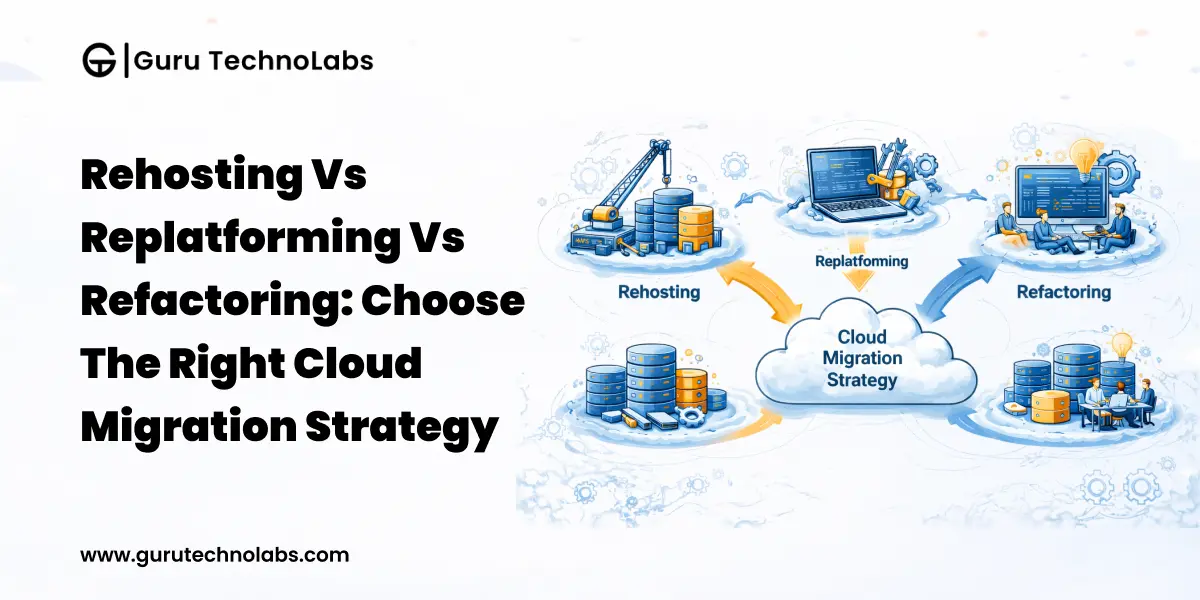
Cloud migration is no longer a question of if – it’s about making the right decisions at the right time.
For organizations managing complex systems, the real challenge is not just moving workloads to the cloud. It’s selecting a migration approach that aligns with business goals, budget constraints, and long-term scalability. This is where most companies struggle.
The three primary strategies, rehosting, replatforming, and refactoring, are often presented as simple choices. In reality, each comes with trade-offs in cost, risk, timeline, and return on investment. Choosing the wrong one can lead to higher cloud costs, performance issues, and long-term technical debt.
According to AWS, more than 70% of organizations report revenue gains after cloud adoption. However, those results depend heavily on selecting the right migration approach from the beginning. A wrong decision doesn’t just slow progress; it increases costs across the entire system.
This guide will help you understand how each approach works, where it fits best, and how to choose the right strategy based on your business needs.
Understanding the Real Challenge in Cloud Migration
Why Cloud Migration Decisions Are More Complex Than They Appear
At a high level, rehosting, replatforming, and refactoring seem like three separate paths. But in real-world systems, especially in enterprise environments, things are rarely that simple.
Most organizations operate multiple interconnected applications. These systems often have different dependencies, performance requirements, and scaling needs. As a result, applying a single migration strategy across all workloads usually creates inefficiencies.
For example, a business might rehost a legacy system to move quickly, replatform its database to reduce operational overhead, and refactor customer-facing components to improve scalability. This mixed approach is not an exception; it is the norm.
The real challenge, therefore, is not choosing one strategy but knowing where each strategy fits within your application portfolio.
Business vs Technical Perspective Gapb
Another major issue in cloud migration is the disconnect between business expectations and technical realities.
Leadership teams typically focus on outcomes such as cost reduction, faster time-to-market, and improved efficiency. Engineering teams, on the other hand, prioritize system stability, scalability, and long-term maintainability.
When these perspectives are not aligned, decisions become imbalanced. Some organizations over-invest in refactoring, spending months redesigning systems that didn’t require it. Others rely too heavily on rehosting, only to face scalability and cost issues later.
Bridging this gap requires mapping migration decisions directly to business outcomes, not just technical improvements.
Impact of Choosing the Wrong Migration Strategy
A premature lift-and-shift of a monolithic application often results in cloud bills exceeding the on-premise costs it replaced. Conversely, over-engineered refactoring can consume 18 months of development for an application that only needed managed database services to meet performance goals.
Downstream effects include vendor lock-in to suboptimal architectures, increased operational overhead for teams managing hybrid configurations, and missed market windows that erode competitive advantage. According to IBM’s cloud economics research, organizations that select the wrong migration approach spend up to 30% more over three years than those that invest upfront in proper assessment and planning.
What Are Rehosting, Replatforming, and Refactoring?
Rehosting (Lift and Shift)
Rehosting means moving applications to a cloud environment with no changes to code, architecture, or configuration. You replicate the existing on-premise setup—same operating system, same runtime, same dependencies. The infrastructure changes; the application does not.
This is the fastest path to the cloud, commonly used when organizations face data center lease expirations or compliance mandates requiring cloud residency.
Replatforming (Lift, Tinker, and Shift)
Cloud replatforming involves targeted optimizations during migration without redesigning the application. Typical activities include migrating a self-managed database to Amazon RDS or Azure SQL Database, replacing on-premise caching with ElastiCache, or containerizing applications for managed Kubernetes.
The goal is to capture cloud-native benefits, reduce operational overhead, improve availability, and better cost efficiency without a ground-up redesign.
Refactoring (Re-architecting for the Cloud)
Refactoring applications for the cloud means fundamentally redesigning them to leverage cloud-native patterns. This involves decomposing monoliths into microservices, implementing serverless compute, adopting event-driven architectures, and building around managed cloud services.
Refactoring delivers the highest long-term value in scalability, resilience, and efficiency. It also carries the highest cost, complexity, and delivery risk.
Key Differences Between Rehosting, Replatforming, and Refactoring
Before selecting a migration approach, it is important to understand how each option compares in practical terms.
| Factor | Rehosting | Replatforming | Refactoring |
|---|---|---|---|
| Cost | Low | Moderate | High |
| Timeline | Weeks | 1–3 Months | 6–18 Months |
| Complexity | Low | Moderate | High |
| Risk | Low | Moderate | High |
| Scalability | Limited | Improved | Maximum |
| ROI | Short-term | Medium-term | Long-term |
The key takeaway here is that no single approach is universally better. The right choice depends entirely on your business priorities and the role of each application within your system.
When Should You Choose Rehosting?
Rehosting is best suited for situations where speed is the primary objective. It allows organizations to move applications to the cloud quickly without making changes to the existing code or architecture. This makes it a practical choice when there are immediate business pressures, such as data center shutdowns or compliance requirements.
It is also commonly used as a first step in cloud adoption, especially for organizations that want to establish a cloud presence before investing in deeper optimization. Since the application remains unchanged, the risk of introducing new issues is minimal, and teams can execute migration without requiring advanced cloud expertise.
However, rehosting does not solve underlying inefficiencies. Applications that were over-provisioned on-premises often remain the same in the cloud, leading to higher operational costs over time.
You should consider rehosting when:
- The speed of migration is more important than optimization
- You are facing infrastructure or compliance deadlines
- The application has a short remaining lifespan
- You want a quick cloud entry before further modernization
- In most cases, rehosting works best as a starting point, not a long-term strategy.
When Should You Choose Replatforming?
Replatforming is the right choice when you want to gain cloud benefits without completely redesigning your application. It involves making targeted improvements during migration, such as moving to managed services or optimizing certain components, while keeping the overall architecture intact.
This approach is particularly valuable when operational overhead is high. For example, shifting from self-managed databases to managed cloud services can significantly reduce maintenance effort while improving reliability and performance. It also helps organizations gradually adopt cloud-native practices without taking on the risks of full refactoring.
That said, replatforming requires clear boundaries. Without proper planning, small improvements can expand into larger changes, increasing complexity and delaying timelines.
You should consider replatforming when:
- You want better performance and cost efficiency without a full redesign
- Managing infrastructure (like databases) is a major burden
- Your application architecture is stable but needs optimization
- You want to prepare for future cloud-native adoption
Replatforming offers a balanced approach between speed and long-term value.
When Should You Choose Refactoring?
Refactoring is the most suitable approach when your application plays a critical role in business growth and needs to scale efficiently. Instead of adapting existing systems, this approach focuses on redesigning the application into a modern, cloud-native architecture that fully leverages cloud capabilities.
It typically involves breaking down monolithic systems into microservices, adopting event-driven architectures, and integrating modern cloud services. This transformation enables your system to scale dynamically, improve resilience, and support faster feature releases.
Refactoring delivers the highest long-term value, but it also requires significant investment. It demands skilled resources, longer timelines, and strong DevOps capabilities. Organizations that underestimate the complexity of this transformation often face delays and increased costs.
You should consider refactoring when:
- The application is core to your business and revenue
- You need high scalability and flexibility
- Existing architecture limits performance or innovation
- You are planning long-term modernization and growth
Refactoring is best suited for organizations focused on scalability, flexibility, and long-term innovation.
Not Sure Which Migration Approach Fits Your Systems?
Our cloud architects assess your application portfolio and recommend a tailored migration strategy. Get clarity before committing time, budget, and resources.
How to Choose the Right Cloud Migration Approach for Your Business
Choosing the right cloud migration strategy can feel overwhelming at first. But it becomes much easier when you start with one simple question: What are you trying to achieve?
Many businesses make the mistake of selecting a migration approach before clearly defining their goal—and that’s where problems begin.
Some organizations want to reduce infrastructure costs quickly. Others focus on faster releases, better performance, or building systems that can support future growth. Your objective should guide every decision you make.
Once you’re clear on the “why,” the next step is understanding your applications. Not every system requires the same level of effort. Some can move with minimal changes, while others need a deeper transformation to perform efficiently in the cloud.
Budget and timelines also play a major role. While refactoring offers long-term benefits, it may not always be realistic within short-term constraints. In many cases, a phased approach works better, starting simple and gradually improving over time.
It’s equally important to think ahead. Applications expected to grow or handle increased demand should be prioritized for modernization early. Planning for scalability now can help avoid costly rework later.
To simplify your decision, focus on:
- Your primary goal (cost, speed, or scalability)
- Application complexity and dependencies
- Budget and timeline constraints
- Future growth expectations
In practice, most organizations don’t rely on a single approach. They use a mix of strategies based on the needs of each system. This portfolio-based approach ensures better resource allocation and more effective outcomes.
If you’re unsure how to evaluate your systems, getting expert input early can help you avoid costly mistakes and build a more effective migration plan.
Common Mistakes Businesses Make in Cloud Migration
One of the most common mistakes businesses make is choosing the fastest option instead of the right one. Rehosting is often selected because it delivers quick results, but many organizations end up revisiting the same systems within a year to fix performance and cost issues.
Another frequent issue is ignoring long-term costs. While rehosting may seem cost-effective initially, inefficient resource usage can lead to higher expenses over time.
Refactoring also comes with its own risks. Many organizations underestimate the effort required, focusing only on code changes while overlooking the need for new processes, tools, and team capabilities.
Ultimately, the biggest mistake is applying a single strategy across all systems. Each application has unique requirements, and migration decisions should reflect that.
Avoid Costly Migration Mistakes with Expert Guidance
A structured migration roadmap reduces risk and prevents budget overruns. Let our team help you build a phased, priority-driven cloud strategy.
Scalability and Future Readiness Considerations
How Each Approach Impacts Scalability
Rehosted applications inherit their original scaling limitations and typically rely on vertical scaling, which creates a hard ceiling. Replatformed applications gain some horizontal scalability through containerization and managed services, but core architectural constraints may still remain.
Refactored applications, designed using cloud-native principles, can scale horizontally and elastically adjust resources in real time based on demand.
For organizations planning significant growth, scalability should be a key decision factor. An application that works well today but cannot handle future demand will eventually require rework. Designing for scalability early helps avoid unnecessary migration costs later.
Performance and Cost Optimization Over Time
Rehosted workloads require manual right-sizing. Replatformed workloads benefit from managed auto-scaling but still need tuning. Refactored workloads leverage spot instances, serverless compute, and event-driven scaling to minimize waste at the infrastructure level.
Cloud-Native Readiness and Innovation Potential
AI integration, real-time analytics, edge computing, and IoT processing all assume cloud-native patterns. Organizations that stop at rehosting find themselves unable to leverage these capabilities without subsequent modernization, effectively paying for migration twice.
Role of Automation and Modern Cloud Tools
Automation in Migration
Infrastructure as Code tools like Terraform and AWS CloudFormation ensure consistency, enable rollback, and make migrations repeatable. CI/CD pipelines should be established early, even for rehosted workloads, to support zero-downtime deployment as migration progresses.
Monitoring and Optimization Tools
Cloud-native monitoring tools such as AWS CloudWatch, Azure Monitor, and Google Cloud Operations Suite provide observability to validate migration success.
Post-migration, these tools play a critical role in cost optimization by tracking usage patterns, identifying anomalies, and enabling automated scaling decisions. Without proper monitoring, organizations risk losing visibility during one of the most critical phases of migration.
AI-Assisted Cloud Management
Emerging AI-powered tools analyze workload patterns, predict scaling needs, and recommend optimization. AWS Compute Optimizer and Azure Advisor are practical starting points requiring no additional tooling investment.
Should You Partner with a Cloud Migration Expert?
When In-House Teams Fall Short
Enterprise-scale migration demands expertise across cloud architecture, security, networking, database migration, and DevOps. If your team has not executed a migration of similar complexity, the learning curve can add months and introduce avoidable risks.
Benefits of Expert-Led Migration
An experienced partner brings pattern recognition from previous engagements. They provide proven runbooks, risk mitigation strategies, and an objective perspective on which applications should be rehosted, replatformed, or refactored – free from internal politics and legacy constraints.
How to Choose the Right Partner
Evaluate partners on their architecture-first approach, not just development capacity. The right partner begins with portfolio assessment and business objectives before recommending a strategy. They should demonstrate expertise in system integration, scalable cloud architecture, and automation-driven operations, an approach followed by Guru Technolabs when planning complex cloud migrations.
Ready to Plan Your Cloud Migration with Confidence?
Our architects specialize in complex, integration-heavy cloud migrations for growth-stage businesses. Start with a no-obligation strategy consultation.
Conclusion
There is no one-size-fits-all answer to the rehosting vs replatforming vs refactoring decision.
The right approach depends on multiple factors, including business goals, system complexity, budget, and future growth plans. In most cases, the best strategy is not choosing one approach but combining all three where they fit best.
Cloud migration is not just a technical shift. It is a strategic decision that shapes how your business operates and scales in the future.
Organizations that take the time to evaluate their options carefully and align them with long-term objectives are far more likely to achieve meaningful results from their cloud investments.
Frequently Asked Questions
Rehosting moves applications to the cloud without code changes. Replatforming introduces small optimizations like using managed services. Refactoring involves redesigning the application into a modern cloud application using microservices, serverless, or event-driven architecture.
Rehosting is the fastest approach, often completed within weeks. Replatforming takes 1–3 months, while refactoring can take 6–18 months.
Refactoring provides the highest long-term ROI. Rehosting offers short-term value, while replatforming gives a balanced return.
Refactor when your application needs high scalability, supports business growth, or requires modern capabilities like AI or real-time processing.
Rehosting is usually a short-term solution. Most organizations modernize within 12–24 months.
Refactoring can increase timelines, costs, and complexity. These risks can be managed with proper planning and DevOps practices.
Yes, most businesses use a mix of approaches to optimize applications based on their needs and complexity.
Simple migrations take weeks, while complex ones can take 6–18 months or more depending on scale.
For complex systems, a partner helps reduce risks and ensures a smooth and scalable migration.
Using a single strategy for all applications can lead to higher costs and performance issues.
Cloud platforms are secure, but migration risks include misconfigurations and data exposure. Proper planning is essential.